Ultimate Guide to LocalLLM Workhorses and Assistants. LLMaxxing on Mini-Bucks < $500 - $1500, plus going higher into the DGX Spark.
We follow up on the current trends of how to get capable and productive LLM's on a limited budget.

Firstly expectations. What do we define as a 'workhorse' and an 'assistant,' well:
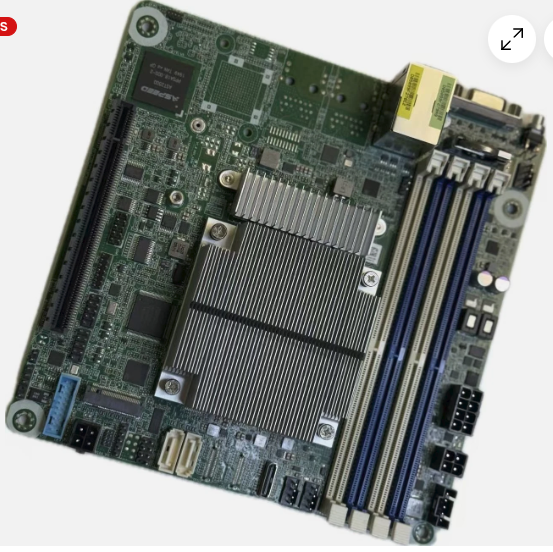
- Assistant LLM - Models that run inside a 8-12GB Graphics card and can do powerful lookups and contexts typical under or up to 64K. These run great inside a 3060ti or a 3080. They use MoE (Mixture of Experts) a non-dense type model.
- Workhorse LLM - Models that run inside a 12-24 GB Graphics card and handle the large contexts (typically up to 256K), and or are capable of working all night without overflow by breaking up the job with Hermes or LLMQP. They run great inside a 3080 / 4080 / 3090 and higher graphics card.
- Production LLM - Models that run on multiple 3090ti's, DGX Sparx, and Commercial equipment. That term is debatable as many would only consider push-button get-application like Claude or Fable to qualify.
Token Speed Matters
Be honest with yourself. 4 months ago 10-12 Tokens/s was considered amazing. In reality we can consider the following inference numbers, and just review what pre-fill and generation references even are:
Pre-fill - This is where the LLM reads the passed information, the pre-prompts, and any pasted files etc. Anything over 75 Tokens/s are acceptable, and even localLLM's have been seen working up to 1000 Token/s depending on the model.
Generation - This is where the LLM will generate tokens or answer questions. A token is basically considered roughly 1-five character word and still loosely defined.
- 5 - 15 Tokens/s. This is actually slow. It's okay for automated processes that run all night on your behalf, but in reality most people if they can type up code faster than the LLM they will find themselves not waiting for it. Usually the first time a person sets these up they are very excited that they can even get that.
- 15 - 40 Tokens/s. Somewhat better but again it's tolerable but tool calling can feel slow. The real secret to getting speed is running a sparse model that has the 'MoE' or Mixture-of-Experts and has less active parameters than a 'dense.'
- 40 - 100 Tokens/s. This is the sweet spot where the LLM can work as fast as your work flow, and as you need questions. This is what you want to shoot for in a localLLM at this time where it can effectively work at the speed you want to review it.
- 100+ Tokens/s is really super flow, it generates on a consistent basis information faster than a human can even manually review. In this case one would want a harness or a LLM controller. A great case is Hermes, or LLMQP. For instance if you have a 4080 and you run a MTP head and you run a 8B you will probably see a 100 Tokens/s speed.
Advantages
- There are massive advantages to going to a LocalLLM. Firstly your proprietary data will not end up farmed into someone else's next token model.
- Sensitive data is retained such as doctors, lawyers and client-privelege scenarios. Legal requirements can force many to taking this path.
- Inventions and NDA type materials do not need to risk being harvested by the cloud LLM.
- This interview shows how concerned corporate is about going with a private LLM.
Let's start at the most basic actually useful LLM we can build < $500.
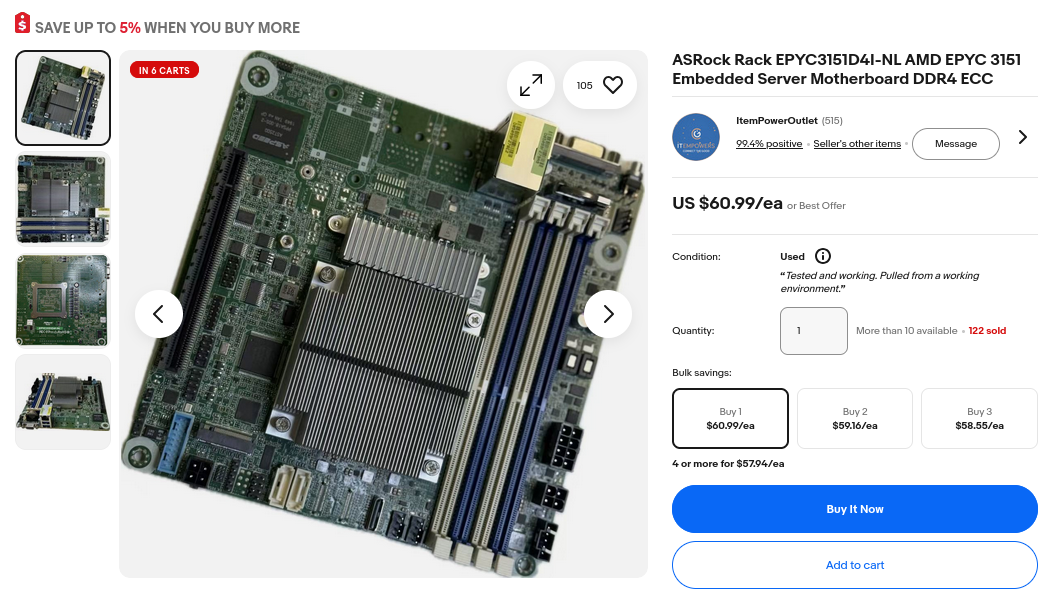
Starting at the Very Bottom - A Epyc 3151 Build (15,000 Specmark for $61). Then Add a Used GPU off FBM.
- 4 cores / 8 threads / 2.9 Ghz and a PCIe 3.0 16 GB/s for the cost of a Raspberry Pi! What's not to love!
- Add up to 256 GB DDR4 RAM.
- Next we want to add a low-cost GPU. The best bang-for-buck right now is the 12 GB RTX 3060 if you can find one..
The key here is to find the first models that have Tensorcores, and also has 12 GB VRAM. This is key! You can absolutely get by on the 8GB VRAM - for an assistant, but if you want to get to a 'workhorse' level LLM - you want to try to find a 12 GB or higher VRAM. 16 GB VRAM like the 4080 has will be preferable, however it looks like their current price at the time of this writing has pushed up their prices significantly into the $1200 range. If you have hundreds to spend then of course buy a 24 GB 3090 but expect to pay lots right now as they are selling upwards of $1500 as of mid-2026.
You can run very capable 8GB models and we proved it. Naturally however we find that once you start sending large code bases the desire for the larger context > 128K becomes immediate.
 thinkmeltprotonmail.com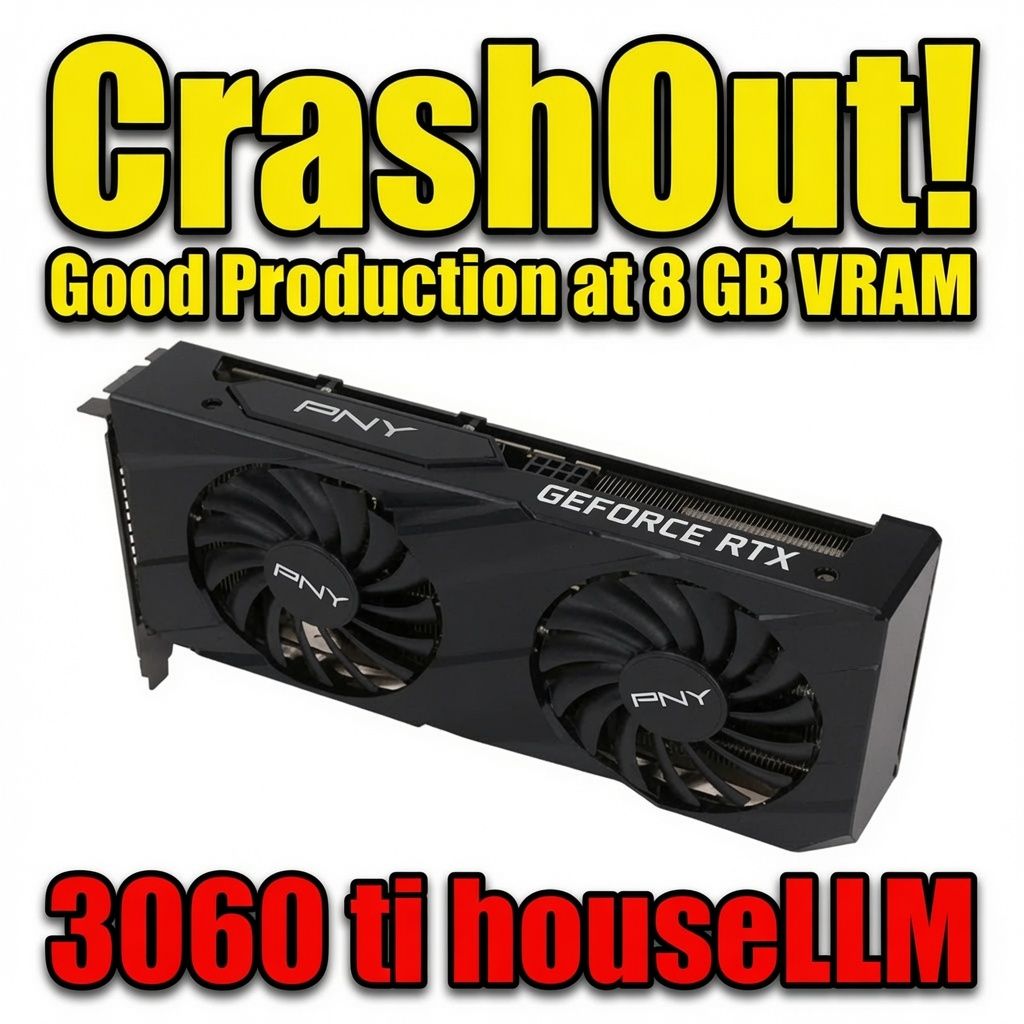
If you get to the 12 GB model or higher - it then allows you to run large contexts. If you can find a 16GB (I know they are getting more expensive by the day) you can run the 128-256K Contexts. Turboquant is really key here.
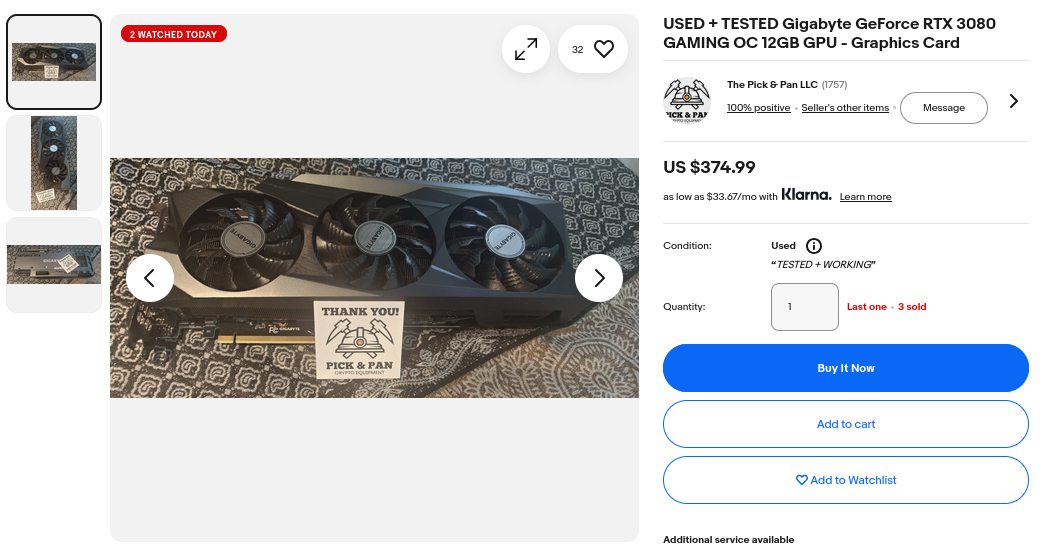
Here is a table of possible configurations for lower-end compute. The key here is that they all have the Tensor Cores, and that is going to make a dramatic performance boost. Of interest is the large jump in Tensorcores on the 3080 plus they have the 12GB, but they were never really noticed as a LLM card - so they have stayed relatively cheap. It's a perfect 'sweet spot' to go with the Epyc 3151 node if you are trying to build for under $500.
| GPU Model | Tensor Cores | VRAM (Standard/Maximum) |
|---|---|---|
| RTX 2080 | 368 (1st Gen) | 8 GB GDDR6 |
| RTX 3060 Ti | 152 (3rd Gen) | 8 GB GDDR6 |
| RTX 3060 | 112 (3rd Gen) | 12 GB GDDR6 |
| RTX 3080 | 272 (3rd Gen) | 10 GB / 12 GB GDDR6X |
| RTX 4080 | 304 (4th Gen) | 16 GB GDDR6X |
| RTX 4090 | 512 (4th Gen) | 24 GB GDDR6X |
| RTX 4070 | 184 (4th Gen) | 12 GB GDDR6X |
Keys are in the Tensor Cores, Problem is in the PciE Speed.
- 8 -9 B sized models will run inside a 8 GB model. We showed they are very capable with these kinds of setups. Sparse models lowered the active parameter counts and they can run really well on mixed layer loading. This is where some models load to the CPU and some load to the GPU.
thinkmeltprotonmail.comWe also showed if you can find a 16 GB VRAM or higher and you have a TensorCore enabled card - you can get an incredibly good 'Workhorse' level LLM that is even fast and has a large context. For instance:
thinkmeltprotonmail.com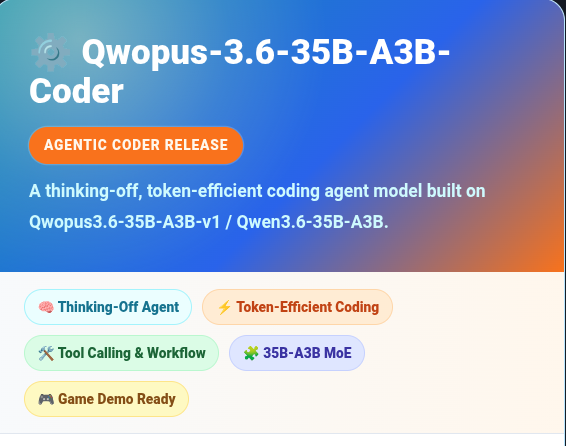
Why Was the 3090 Dual with NVLink so Popular over say Dual 4080's?
- Anywhere the model was split (and was a 'dense' model) it required massive bandwidth between the layers. If the model had to communicate over a PCIe 3.0 bus even at 8 GB/s bandwidth (16 GB/s) it would kill the model speed. The NVLink was incredibly popular because it enabled up to 112 GB/s with an interlink card directly connecting two GPUs independent of the PCIe. The only other option is to try to find a model that fit completely inside the GPU.
- The other option naturally was anything with a
unified memorywhich implied that the RAM of the device shared with the GPU, and worked at dramatically higher speeds not needing the very slow PCIe bus.
People Started Trying to Run LLM's on Everything
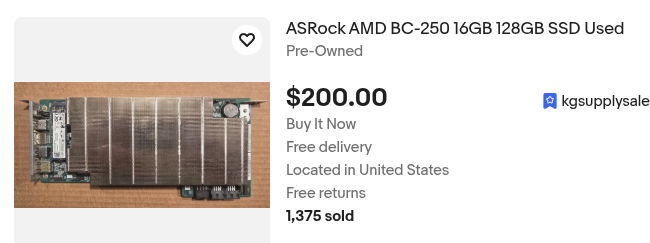
Even a old mining rig the BC-250 because of it's very fast unified memory speeds of 448 GB/s plus the fact that it sells for less than a single 3060ti made them very good candidates for the 8B platform.
 Loktar 🇺🇸
Exploring the Older Nvidia Tesla / Quadro Etc.
- People even recompiled various LLM's so that they could run somewhat quickly on very older hardware, like the K80, and reported 11 Token/s (showing again even industrial older cards did not hold up as well as any cards that had Tensorcore.)
Chicken LittleThe DGX Spark (Nvidia's LocalLLM Solution)
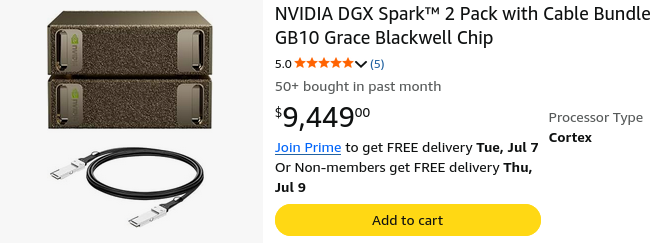
- At the time of this writing they haul heavy in the price tag - and the market demand confirms why. At $4679 on amazon.com their compute capability comes in at a whopping 1 PFLOP (1000 Trillion Floating Point Operations/s) + 20 core main compute + 128GB LPDDR5X. Because of their unified bandwidth they can send back and forth to the memory and the GPU without requiring going out to a PCIe lane, and this is fast coming in at 273 GB/s. Please note B and b matters - if you are talking 10 Gbit - that sounds fast, but divide it by 8, then it comes in at 1.25 GBytes/s. This is why nobody is running inference over the internet - well at least not yet..
- They could be interconnected at very high speeds allowing very large distributed models to split between them. The speed of the interconnect of the ConnectX-7 coming in at 200 Gb/s (Giga-bit/s)
The MAC Mini Pro Weighed in
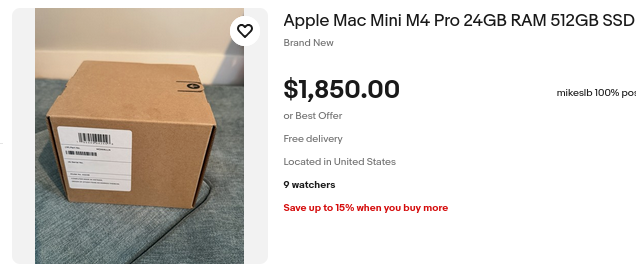
- On the Macintosh side - due again the very fast interconnection capabilities between machines allowed for stacked units to run very large models quickly and capably.
- Demand was so high there were literally none for sale on Amazon with only second-hand sellers moving them on ebay.
- We do not really cover them simply in that they are not even available. 3-4 of them will cost as much as commerical H100 units etc.
Bus BandWidth Was Always What Really Mattered
We can see that until PCIe 6.0 we won't even begin to match the speeds of the NVLink, consider the following chart.
| Generation | Transfer Rate (GT/s per lane) | Encoding | Raw Bit Rate (Gbit/s per lane) | Effective Data Rate (GB/s per lane, unidirectional) | x1 (GB/s) | x2 (GB/s) | x4 (GB/s) | x8 (GB/s) | x16 (GB/s) |
|---|---|---|---|---|---|---|---|---|---|
| PCIe 1.0 / 1.1 | 2.5 | 8b/10b | 2.0 | 0.250 | 0.25 | 0.50 | 1.00 | 2.00 | 4.00 |
| PCIe 2.0 | 5.0 | 8b/10b | 4.0 | 0.500 | 0.50 | 1.00 | 2.00 | 4.00 | 8.00 |
| PCIe 3.0 | 8.0 | 128b/130b | 7.877 | ≈0.985 | 0.985 | 1.97 | 3.94 | 7.88 | 15.75 |
| PCIe 4.0 | 16.0 | 128b/130b | 15.754 | ≈1.969 | 1.97 | 3.94 | 7.88 | 15.75 | 31.51 |
| PCIe 5.0 | 32.0 | 128b/130b | 31.508 | ≈3.938 | 3.94 | 7.88 | 15.75 | 31.51 | 63.02 |
| PCIe 6.0 | 64.0 | 256b/257b + PAM4 | ≈62.0 (effective) | ≈7.56 | 7.56 | 15.12 | 30.25 | 60.50 | 121.00 |
| PCIe 7.0 | 128.0 | 256b/257b + PAM4 | ≈124.0 (effective) | ≈15.0+ (projected) | ≈15.1 | ≈30.2 | ≈60.4 | ≈120.8 | ≈241.6 |
The bandwidth always significantly mattered. Tools existed exactly for diagnostic testing, and if you do want to get into the meaty details of measuring GPU-to-GPU bandwidth, PCI-e-to-GPU, GPU-to-Itself you can compile and install the mbw tool: This is where you find out what stuff really can do - not the brochure sale..
thinkmeltprotonmail.com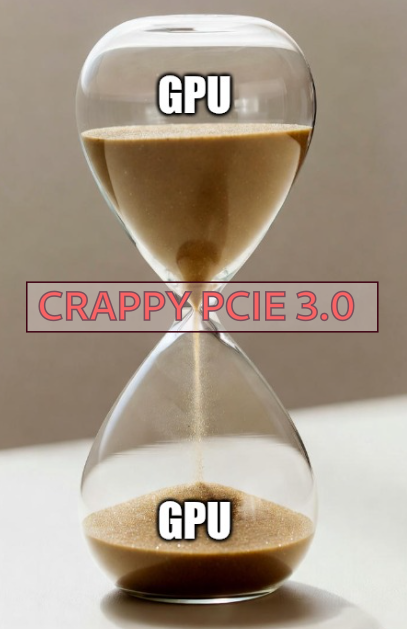
This is where many people then sought out 'server' level motherboards in that they had the proper PCIe 4.0 x 7 such as the TRX40. By getting up to 4.0 they could theoretically get better performance or run 4-8 card configurations. Used Epyc Motherboards were a good fit.
Re-tuned Moe + MTP + TurboQuant + MCP Was the Game Changing Solution
People started looking at all kinds of ways to speed things up, make them smaller, make them faster, and or make them more accurate. What were all these different additives? Well when they all were added up they made a dramatic and powerful set of tools that reduced cache size, increase speed, and enabled tooling.
MoE - Mixture of Experts. This allowed sparse models to have much less active parameters. By doing this it greatly reduced the CPU/ GPU load, and allowed for the offloading and powerful fitting llama.cpp configurations such as:
--override-tensor "\.ffn_.*_exps\.weight=CPU" \TurboQuant - kv_cache expanded quadratically, long contexts would destroy the VRAM and kept the hardware requirements very expensive. A full github and guide to install it. It was added very quickly to llama.cpp, and this brought the 'Workhorse' level LLM into existence! Prior to TurboQuant the small consumer was never really a play in this.
MCP - Model Context Protocol allowed for powerful tool calling. The right tool calling allowed for LLM's to correct their work. Over and over until they get it right. Here are ten+ powerful MCP's that are all opensource!
MTP - Multiple Token Prediction came next. By running multiple parallel heads of certain layers it could see significant speedups in some instances up to 200%!
Re-Tuned Models - By taking strong base models and carefully applying extra token layers people were able to get significant boosts in accuracy and performance of an LLM in a benchmark.
The Results - You are the winner
It created models that were so powerful, capable and run on minimal hardware that the industry has not even fully realized how capable a localLLM is. Consider a 35B that can one-shot an entire Asteroids game, accurately, and cleanly and run on a 4080, it is right here. Again it only works because all of the above features are working at the same time.
thinkmeltprotonmail.comOr we show again how you can run capable models inside a 3060ti inside a 8GB VRAM.
thinkmeltprotonmail.comConclusion - Everyone Wants a LocalLLM. Configurations Matter.
You are not going to replace a $20 Billion dollar server farm with racks of H200 inference engines with a $1200 4080 Nivdia RTX you scored off FaceBook. That's just not realistic. But configurations really matter. The right model, the right tuning, the right MCP agents they are capable, very quick, reliable and you never have to worry about your research being harvested by a corporate LLM. You can take odd paths with the B-250 but find you outgrow a limited memory device, and find yourself going big for a DGX Spark. Corporate interests using tokenMaxxing budgets and getting billion dollar builds realized themselves even - they jumped their own shark, and were getting massive Token bills. Suddenly Elon was limiting employees to $200/week, Meta was scaling things back, and it was becoming quickly public everybody didn't want the prompt harvesting companies taking their proprietary data and using it to train the next 6T model.
- Commit the time. It can take a few days, but just learn a little bit at a time. If you would like a world-class LLM that encorporates all the bells and whistles start with this StudentLLM.
- This site is utterly CHOCK full of opensource guides for MCP tools, for various llama.cpp configurations, model reviews etc. It is a win for you!