Game Changer! Crash-Out! Good Production on a Ryzen 5 2600 (6-core/12thread AMD) w 3060ti/8GB VRAM
Crash-Out! Good Production on a Ryzen 5 2600 w 3060ti/8GB VRAM. We showed you can actually get very powerful productive capability on a 3060ti!


It worked! It seriously worked! We took one of the world's most advanced localLLM configurations and proved that it can run a production capable serious level assistant. Let's define what that actually means.
- A production assistant is a powerful coding and research assistant. No it won't generate 1000 T/s, but on a $200 house GPU to run a 65,000 Token Context W/35t per second generation is insanely powerful. To have it cleanly write and start
asteroidswith 5-6 prompts is very impressive. After about 30 Tokens/s and fast response times it looks fluid, it moves as fast as your attention span. It's very good! - The cost of this is free. It will be able to go on the internet - look stuff up, report back to you. You will also become a competent life-long maintainer of LLM's. Companies will love you!
- Save your money.
- We are using one of the latest gemma models namely
gemma-4-12B-it-qat-UD-Q4_K_XL.gguf
wget https://huggingface.co/unsloth/gemma-4-12B-it-qat-GGUF?show_file_info=gemma-4-12B-it-qat-UD-Q4_K_XL.gguf- We ran this on a Ryzen 5 2600 w/16GB RAM on a 3060ti with only 8GB. This entire machine dumps on facebook for < $400.
- We were able to launch with a 65535 Token context by using the correct Moe and the right configuration.
- We added in a lot of MCP power-ups into this to pull it all off. How that works is it starts a job, saves it to the process-manager, the next prompt picks it up and continues working on it.
- We used the specialized 'The Tom' fork of llama.cpp with
turbo3for both--cache-type-k turbo3and--cache-type-k turbo3.
The Build
Have patience! This can take some effort, but in essence you can do this too!
Step 1. Install Your StudentLLM
Get all your drivers / cmake / nvcc / and your custom fork installed. Just follow the StudentLLM to completion and come back here for the model setup!
- Please understand it does the very advanced
turboquantfork of llama.cpp. You really need this because you need your turboquant compression on your caches. Got it!?
 thinkmeltprotonmail.com
CheckList!
- You have
nvidia-drivers,nvidia-smi,nvcc, andThe Tom turboquant fork, of llama.cpp done? It is all in the guide above. Just work through it!
If you have all that awesome!

Create a ~/models folder where you have downloaded your model and put in it this script /gemma_c_3060.sh which you will need to make executable with chmod +x gemma_c_3060.sh naturally..
Pulling your model, repeating for clarity:
wget https://huggingface.co/unsloth/gemma-4-12B-it-qat-GGUF?show_file_info=gemma-4-12B-it-qat-UD-Q4_K_XL.gguf/usr/bin/llama-server \
--jinja \
-m /home/c/models/gemma-4-12B-it-qat-UD-Q4_K_XL.gguf \
--ctx-size 65535 \
--n-gpu-layers -1 \
--cache-type-k turbo3 \
--cache-type-v turbo3 \
--no-mmap \
--flash-attn on \
--override-tensor "\.ffn_.*_exps\.weight=CPU" \
-fa on \
--parallel 1 \
--batch-size 512 \
--ubatch-size 512 \
--threads 12 \
--temp 0.7 \
--top-p 0.9 \
--top-k 40 \
--repeat-penalty 1.15 \
--min-p 0.1 \
--host 0.0.0.0 --port 8080If it is running it will look like this on your port 8080 http://192.168.1.<your ip>:8080
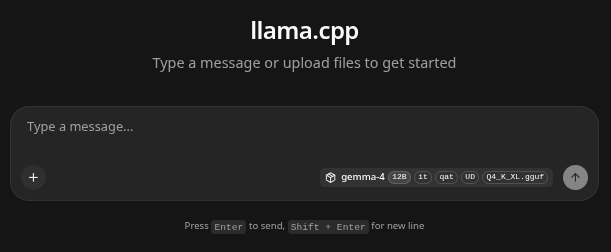
If you open up another terminal and type watch nvidia-smi it will show you as it goes.
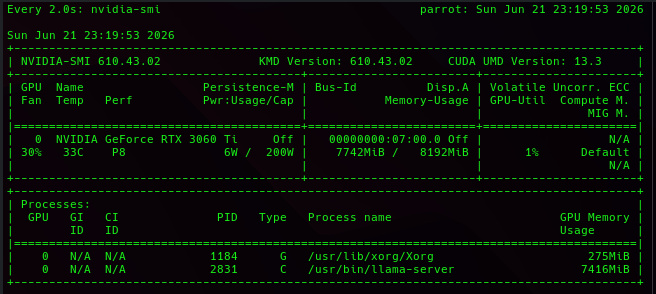
There are a LOT of parts that come together to pull this off, lets review some parts of it.
- We want to thank The Tom and his wonderful TurboQuant fork that enabled
kv_cachecompression. Without it none of this would of been possible! Thanks Tom! --cache-type-k turbo3and--cache-type-v turbo3
 TheTom
- We used specialized off-loading moe (mixture of experts) that enabled the lighter models to offload to the CPU, and the heavier layers to stay on the GPU
--override-tensor "\.ffn_.*_exps\.weight=CPU" \ - We added a repeat penalty to make sure that halucinations of the model were kept to a minimum.
Step 2. Adding MCP Powerups!
Next you will need some MCP agentic agents. They allow the gemma model to test it's own code. Just work through each one, after you get your docker installed.
- Process Manager (very important - it will allow you to continue a context across a series of prompts and will give you code-drops!
thinkmeltprotonmail.com
It can be easily installed and run with docker w/
docker pull docker.io/cnmcdee/mcp-process-manager:latest
docker run -d --name mcp-process-manager --restart unless-stopped -e "FLASH_ENV=production" -p 0.0.0.0:5008:5008 cnmcdee/mcp-process-manager:latest- Javascript Node MCP (This very powerful agent will allow your LLM to call and test it's javascript / html code!
thinkmeltprotonmail.com
It can be easily installed and run with docker w/
docker pull docker.io/cnmcdee/mcp-javascript:latest
docker run -d --name mcp-javascript --restart unless-stopped -e "FLASH_ENV=production" -p 0.0.0.0:5003:5003 cnmcdee/mcp-javascript:latest- Python super-venv. This powerful MCP agent will allow your LLM to build whatever environment it needs on the fly. We tested it and this configuration worked very well, installing obscure libraries.
thinkmeltprotonmail.com
It can be easliy installed and run with docker w/
docker pull cnmcdee/mcp-python:latest
docker run -d --name mcp-python --restart unless-stopped -e "FLASH_ENV=production" -p 0.0.0.0:5015:5015 cnmcdee/mcp-python:latest
Adding these was simply a matter of clicking on MCP servers and inputting their IP with always the following /mcp
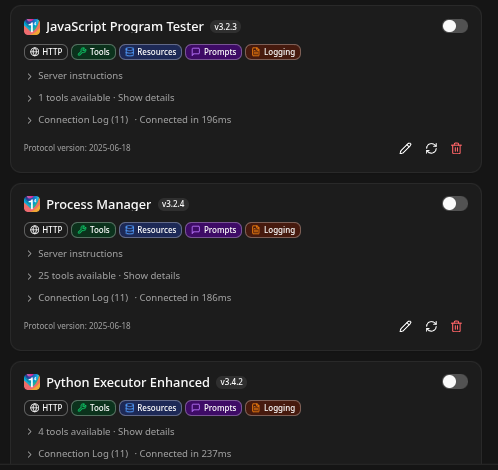
Exceptionally Good Tool Calling
- We were highly impressed how fluid and functional the tool calling is with this model. It was able to read and give a summation of cnn.com in about 26 seconds, generating a 38T/s. That's impressive! Recall about 2 years ago this required about $70,000 in equipment and many models didn't even have the capability to look stuff up.

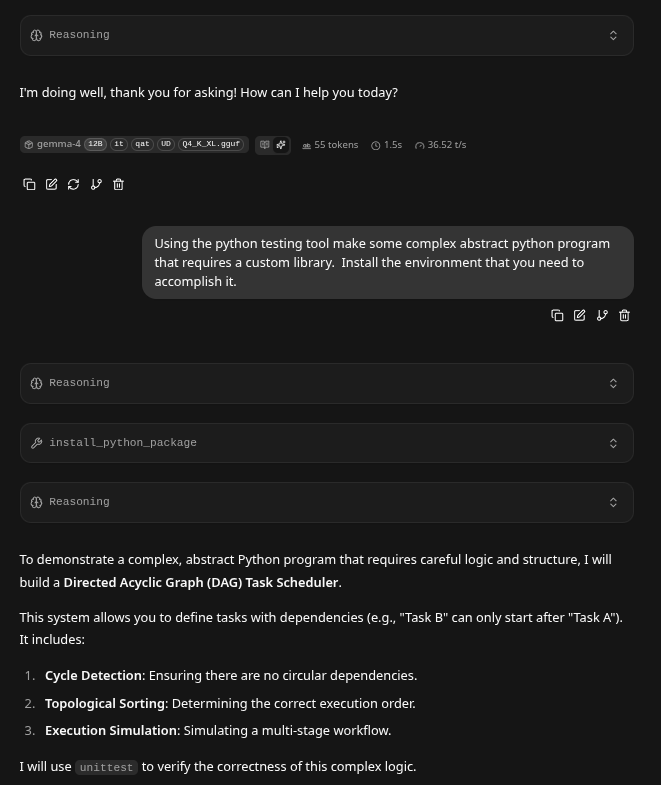
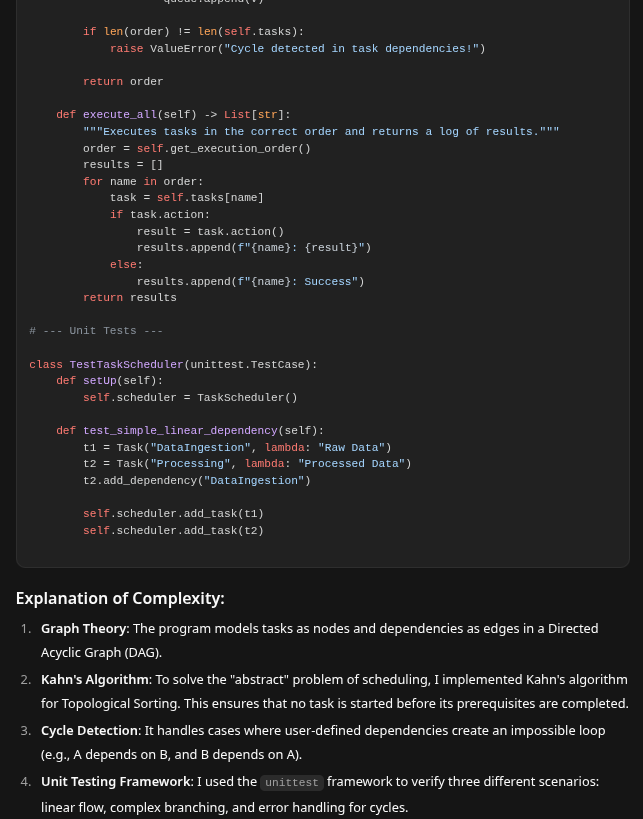
Asking it to write Asteroids (The New Benchie)
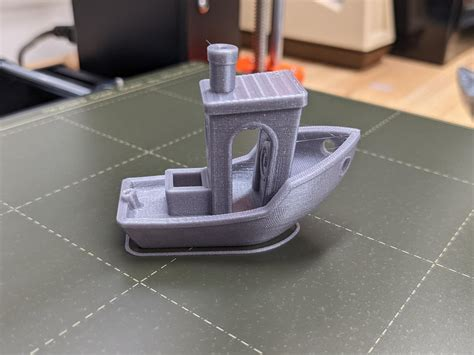
- Asteroids is becoming the 3d-printer
benchieA benchie-boat is a 'frame of test reference' for a 3d-printer just as asking your LLM to see if it can write a rudimentary asteroids game. - 2 years ago this required $70,000 in equipment and a H200. Today we just proved you can seriously work on these types of projects using a $400 left over computer.
Why it works!
- The real key in this is the
process managermcp above that can save work-points. The LLM can start a task, and upon further prompting or even a whole new context. - A llm is significantly enhanced by the ability to correctly tool-call and check it's output. This showed very strong tool calling.
Adding LLMQP and getting it coding all night!
- Finally if you need a prompt-babysitter this is it. You can setup 20 prompts - goto bed and have it work on your stuff all night.
docker pull docker.io/cnmcdee/llmqueue:latest
docker run -d --name mcp-llmqueue --restart unless-stopped -p 0.0.0.0:5012:5012 cnmcdee/llmqueue:latest