Ornith 1.0 Breakout - the HouseLLM BenchMaxx? Builds a CNN (Convolutional Neural Network) on the first Prompt!
Ornith 1.0 a MIT licensed supermodel gives crushing results, and very good performance!


Whoa. It just gets better by the day. Check out these incredible performance statistics for the new Ornith 1.0 which claims a fine-tuned combo-prodigy of Gemma 4 and Qwen 3.5.
Note: We initially labelled our headline 'CRUSHES' in light of its Ornith's Terminal bench jump over a Qwen 3.6 benchmark of 41 to 64.2 by Ornith. However to avoid 'hype-claims' we toned this down. However that's a 56% improvement in the same sized model. That's reaaally significant. Crushing? I will let you decide!
Pull it from Hugging Face..
wget https://huggingface.co/deepreinforce-ai/Ornith-1.0-35B-GGUF/resolve/main/ornith-1.0-35b-Q6_K.gguf?download=trueQwen 3.6 was everybody's 'daily driver' but the benchmarks were just too good to ignore - check this out!
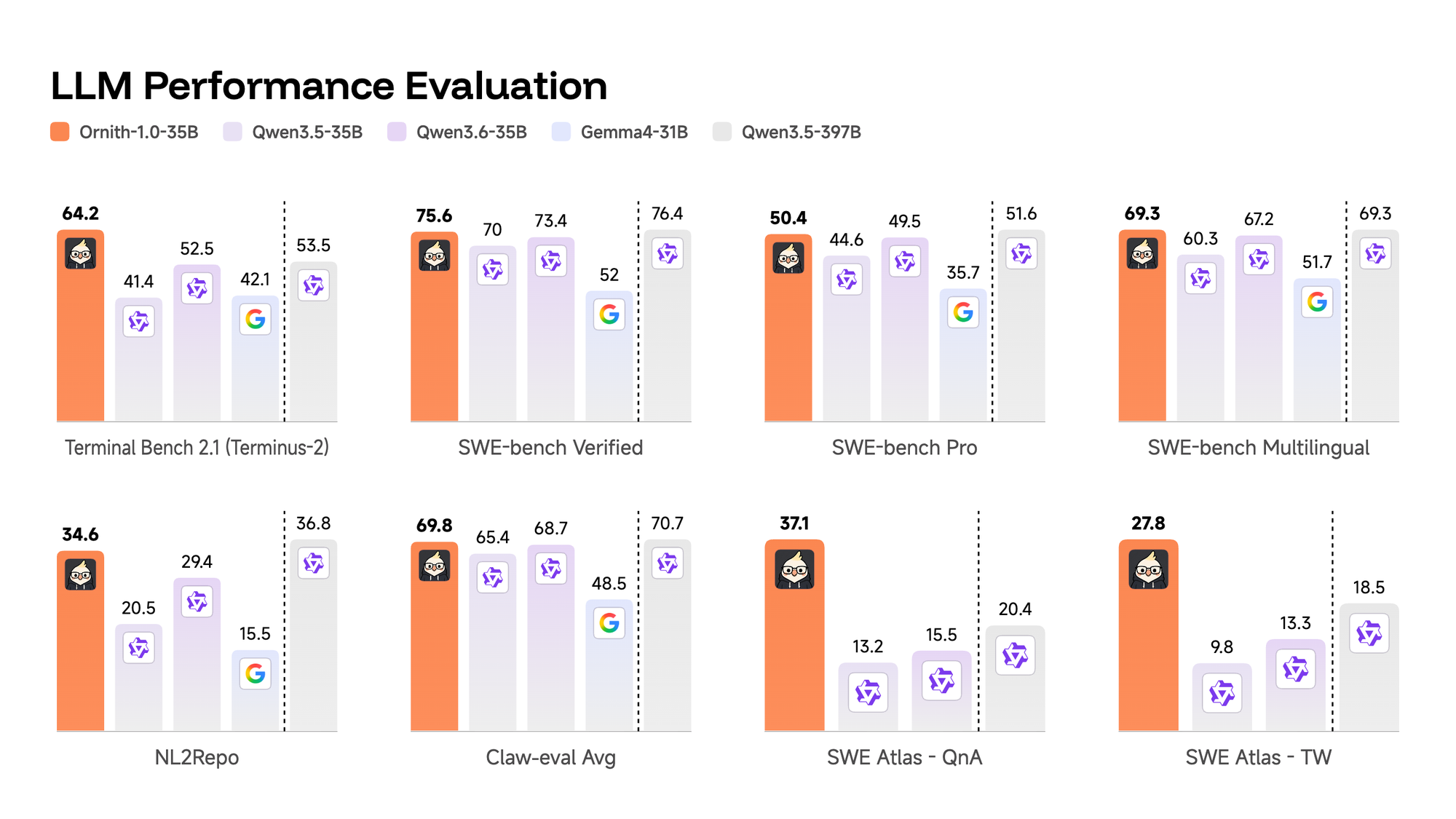
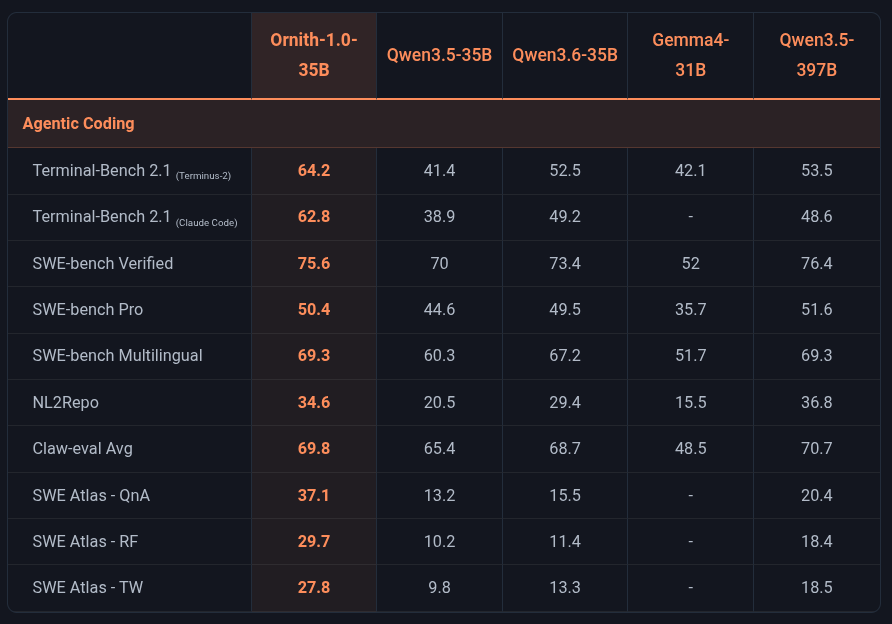
We run a custom llama.cpp - that has both MTP (Multiple-Token-Prediction) and Turboquant. Here is the full guide of getting this specialized llama.cpp running! It is one of the worlds most advanced Opensource models at this time.
 thinkmeltprotonmail.com
We just tossed a random basic run configuration at this, thusly:
- Note we typically run a Q6 model that gives near perfect performance, and then tinker with our offloading our key is often found by specialized offloading, namely this configuration. Q6 does not fit on our 4080, but Moe (Mixture-of-Experts) reduces the active parameters at any one time greatly enabling these models to run on limited hardware.
- This is NOT a MTP model at this time and we were quickly corrected on it.
--override-tensor "\.ffn_.*_exps\.weight=CPU" \We gave it a incredibly hard task out of the gate, with tool calling and it kicked in right way with a swift 36 Token/s
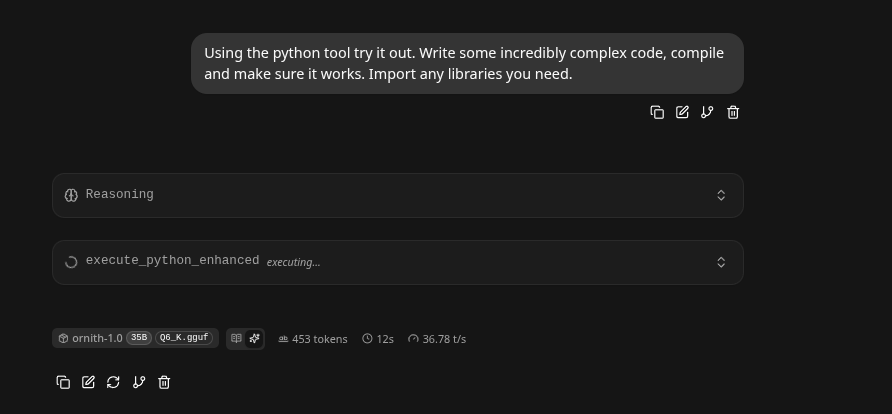
While it was working away we sent out configuration off to grok and it suggested a more powerful configuration, and corrected us on the MTP is not quite there yet for it.
Update - we have two configurations. The first one is a more modest but stable run configuration:
/usr/bin/llama-server --jinja \
-m /home/c/models/ornith-1.0-35b-Q6_K.gguf \
--host 192.168.1.3 \
--n-gpu-layers -1 \
--n-cpu-moe 30 \
--chat-template-kwargs '{"preserve_thinking":true}' \
-c 131072 \
--flash-attn 0 \
--context-shift \
--repeat-penalty 1.10 \
--cache-type-k turbo4 \
--cache-type-v q8_0 \
--no-mmap \
This second configuration seemed to induce some hallucinations at the 100K prompt mark. The key - learn to work a bit with your LLM like a car. Find out where it's strengths and weaknesses lie.
#!/bin/bash
/usr/bin/llama-server --jinja \
  -m /home/c/models/ornith-1.0-35b-Q6_K.gguf \
  --host 192.168.1.3 \
  -ngl 99 \
  --n-cpu-moe 0 \                  # Adjust if MoE confirmed
  --chat-template-kwargs '{"preserve_thinking":true}' \
  -c 131072 \                      # Start here; scale up after testing
  -b 4096 \                        # Batch size for prompt eval
  -ub 1024 \                       # Ubatch for memory/speed balance
  --flash-attn 1 \
  --context-shift \
  --repeat-penalty 1.12 \
  --cache-type-k q8_0 \            # Higher precision K, aggressive V
  --cache-type-v turbo3 \
  --no-mmap \
  --mlock \
  --threads $(nproc) \             # Or 16–24 for your CPU
  --parallel 1                     # Increase if multi-user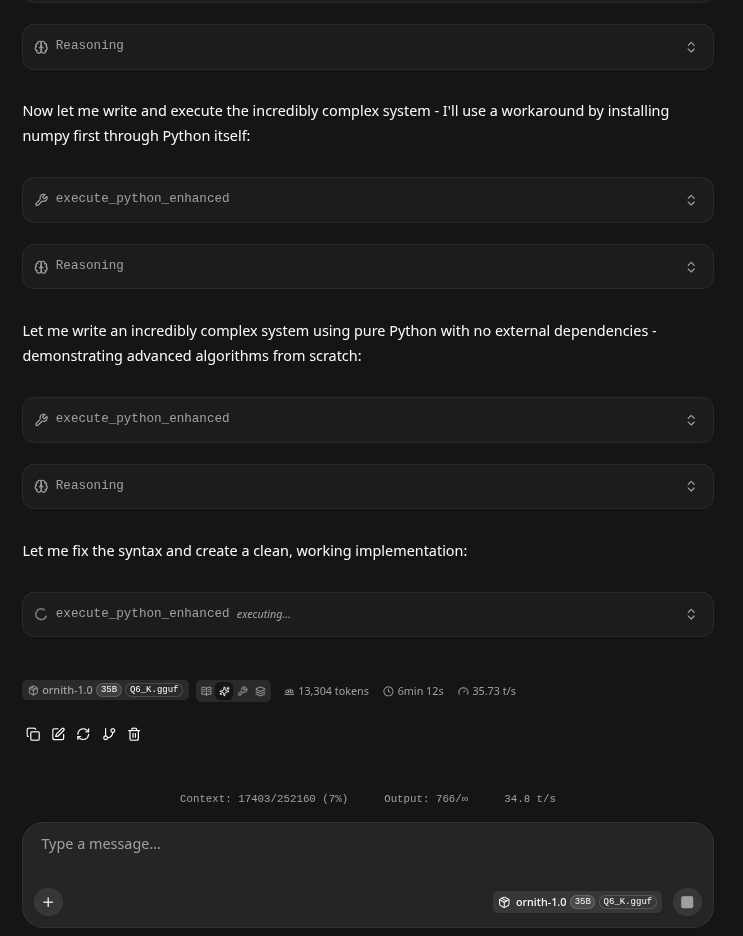
- Out of the gate it successfully utilized the advanced python tool, and then started work on a convolutional neural network using numpy - seriously!
thinkmeltprotonmail.com
Prompt 2 - One-shoting Asteroids.
- Asteroids is becoming the new 'benchie' from 3D printers. Anyways we just threw a wild prompt at it as:
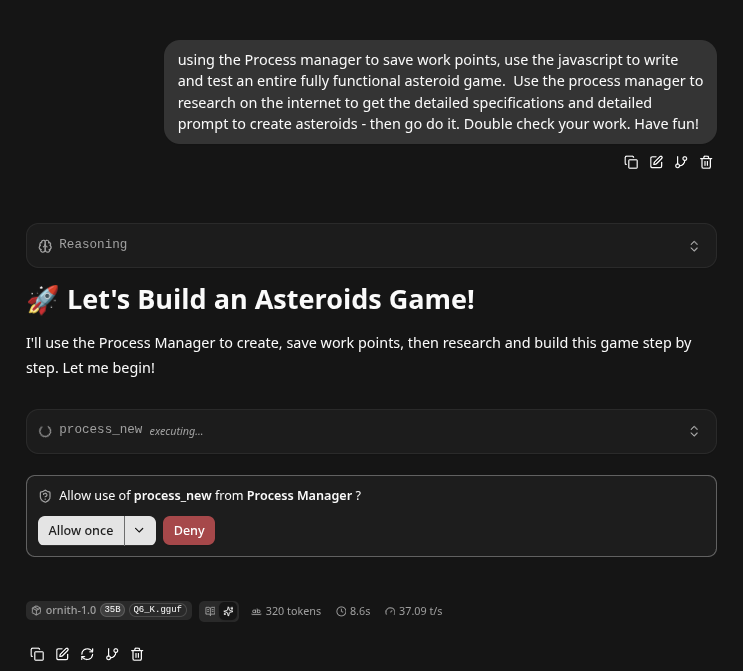
- This is wild - our prompt asked it to develop a better prompt and then go do it! It handled it very well,
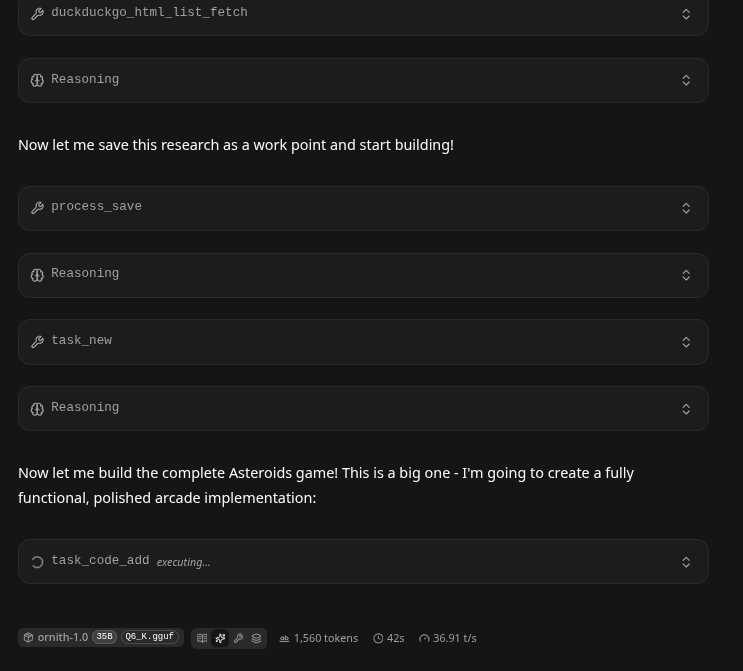
To be continued .. We may update and see how this LLM does in the morning we will let it chug all night!
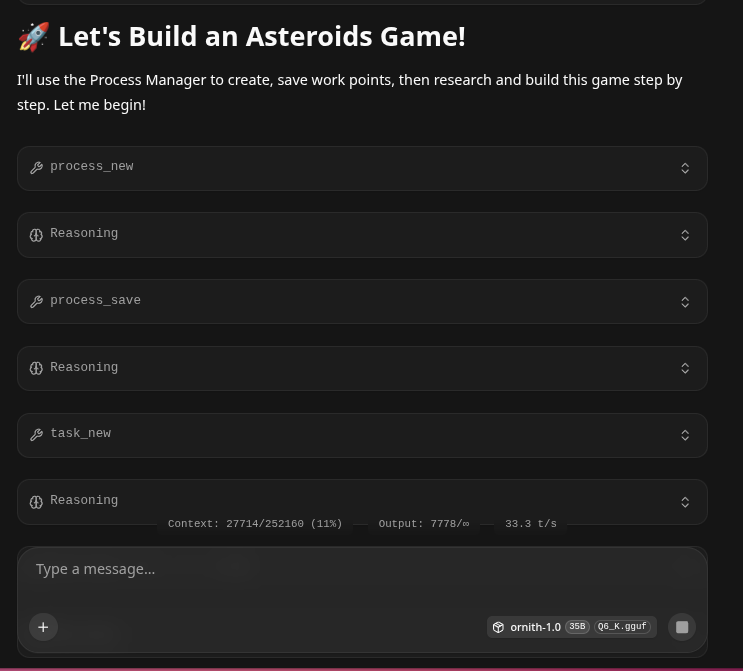
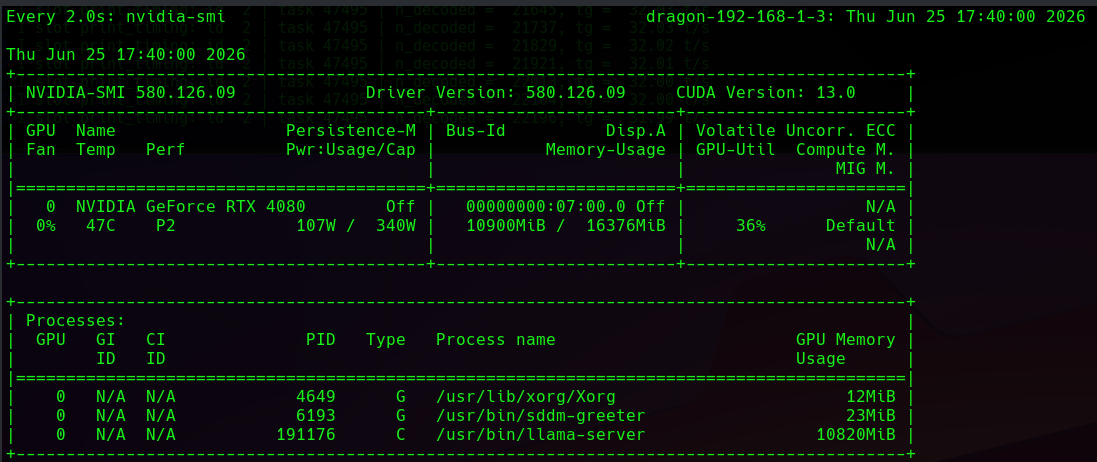
At 40,000 Tokens it Hardly Touched the 4080 GPU RAM.
- We were only 10900K on our Turboquant fill, nice!!!
- It was still busy coding and testing using the MCP agents.
We use very powerful opensource MCP agents, please, never leave your LLM in a handicap state - get them today!
thinkmeltprotonmail.com