SafetyLLM: gemma-4-E4B-it We Look At a Minimally Loading Small-Footprint SafetyLLM.

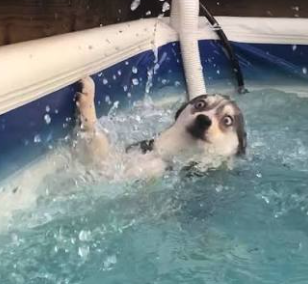
Realizing how fast the Image-to-Text LLM's are moving we want to see how quickly a minimal 4-bit quant sized gemma image recognition model can make a safety call.
We are working with this model:

wget https://huggingface.co/ggml-org/gemma-4-E4B-it-GGUF/resolve/main/gemma-4-E4B-it-Q4_0.gguf?download=truePlease note - you need two files - one is the .gguf model file and one is the mmproj (projector file). If you run your model without specifying the projector file it just works in text-to-text mode. So don't forget to pull both:
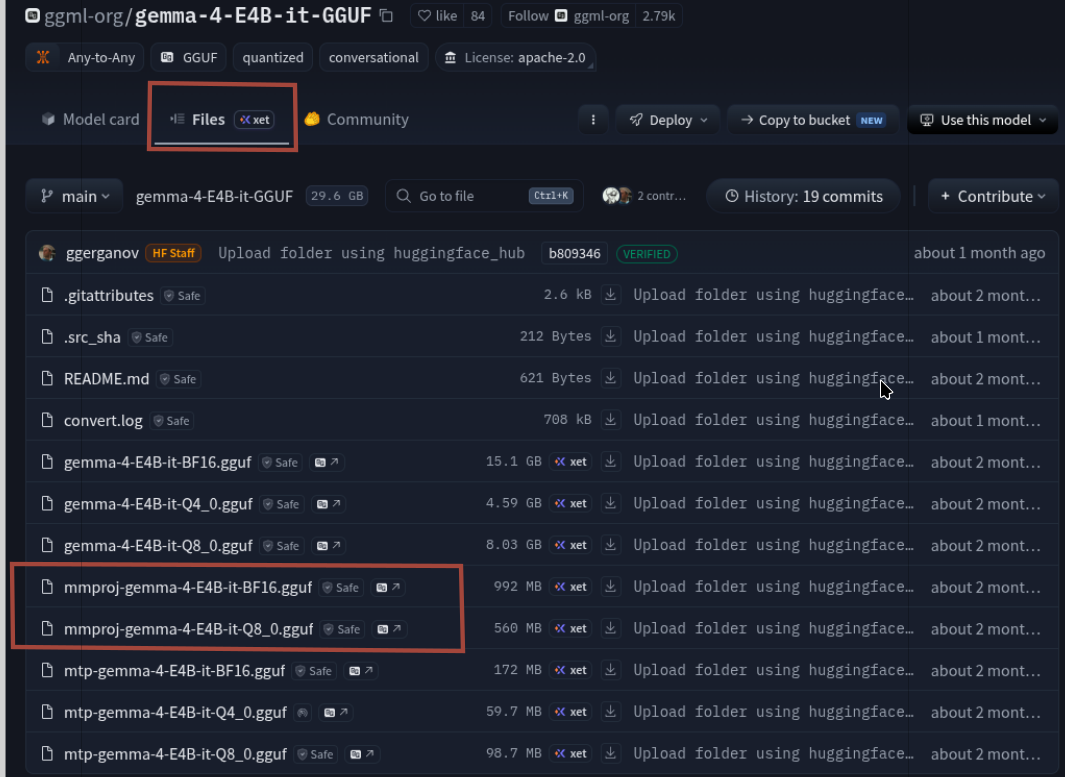
While it's downloading you can do a quick llama-server setup so make a bash.sh and chmod +x bash.sh after putting inside of it:
sudo apt update
sudo apt install -y git cmake build-essential

git clone https://github.com/ggml-org/llama.cpp
cd llama.cpp

cmake -B build -DGGML_CUDA=ON
cmake --build build --config Release -j"$(nproc)"
Or if you need a detailed walk-through we always recommend the very good StudentLLM:
 thinkmeltprotonmail.com
Our installation configuration (after a bit of mangling) worked out as follows, note we load both the .gguf and the mmproj files:
/usr/bin/llama-server \
-m /home/c/models/gemma-4-E4B-it-GGUF_Q4_0.gguf \
--mmproj /home/c/models/mmproj-gemma-4-E4B-it-Q8_0.gguf \
--spec-draft-n-max 4 \
--backend-sampling \
--jinja \
-c 32768 \
-ngl auto \
--host 0.0.0.0 \
--port 8080- Note - we always prefer absolute pathing - it just works better out of the gate:
This is a Small Fast Model
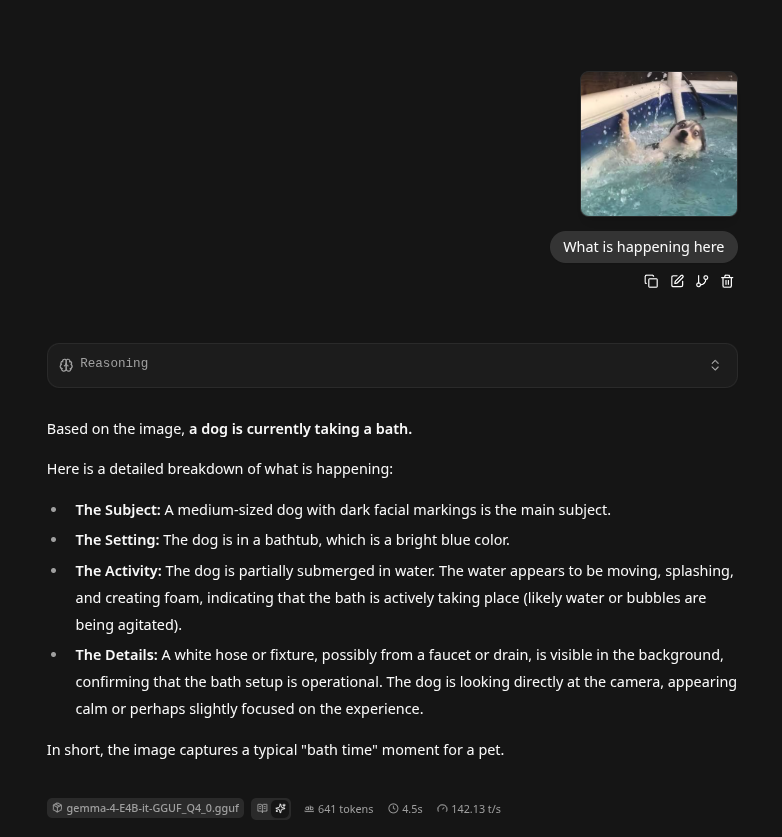
It loaded in a couple second, awesome. There are really two working parts - the mmproj model which coverts images into vision embedding tokens, and a second model that reads those tokens and makes a inference (text-to-text). Now it's time to test it out, thusly:
BenchMarking A Safety Index
We now will run this identifier in a safety setting ten times, making an average timing to determine a high-risk scenario. We realize no AI can replace a human at nuanced crisis determinations, instead we simply ask it to give the image a probability, and if that probability is above a threshold - then that could give a GREEN, YELLOW, or RED threshold alarm for a human to make the final call. We leave it for others to consider real-world options. Our script to run the dog image 10 times:
#!/bin/bash

IMG=$(base64 -w0 test.png)

cat > request.json <<EOF
{
"messages": [{
"role": "user",
"content": [
{
"type": "text",
"text": "Estimate the probability that this image shows an immediate safety emergency. Output exactly one integer from 0 to 100 followed by a percent sign. Example: 23%. Output nothing else."
},
{
"type": "image_url",
"image_url": {
"url": "data:image/png;base64,$IMG"
}
}
]
}],
"chat_template_kwargs": {
"enable_thinking": false
},
"max_tokens": 20
}
EOF

for i in {1..10}; do
START=$(date +%s%N)

RESPONSE=$(curl -s \
http://127.0.0.1:8080/v1/chat/completions \
-H "Content-Type: application/json" \
--data-binary @request.json)

END=$(date +%s%N)

ANSWER=$(echo "$RESPONSE" | jq -r '.choices[0].message.content')

TIME=$(awk "BEGIN {printf \"%.3f\", ($END-$START)/1000000000}")

echo "Run $i: $ANSWER    ${TIME}s"
done
Output:
It was able to look at and make a determination in approximately 170 ms - that is fast!
./safety.sh
Run 1: 0%    0.181s
Run 2: 5%    0.167s
Run 3: 5%.    0.168s
Run 4: 5%    0.167s
Run 5: 5%    0.167s
Run 6: 5%    0.168s
Run 7: 1%    0.167s
Run 8: 5%    0.167s
Run 9: 5%    0.168s
Run 10: 5%    0.167s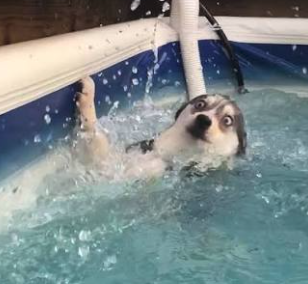
Next we had ChatGPT 5.6-Sol to make a drowning victim image and explicitly explained it was for training a safety LLM, it gave us this image:
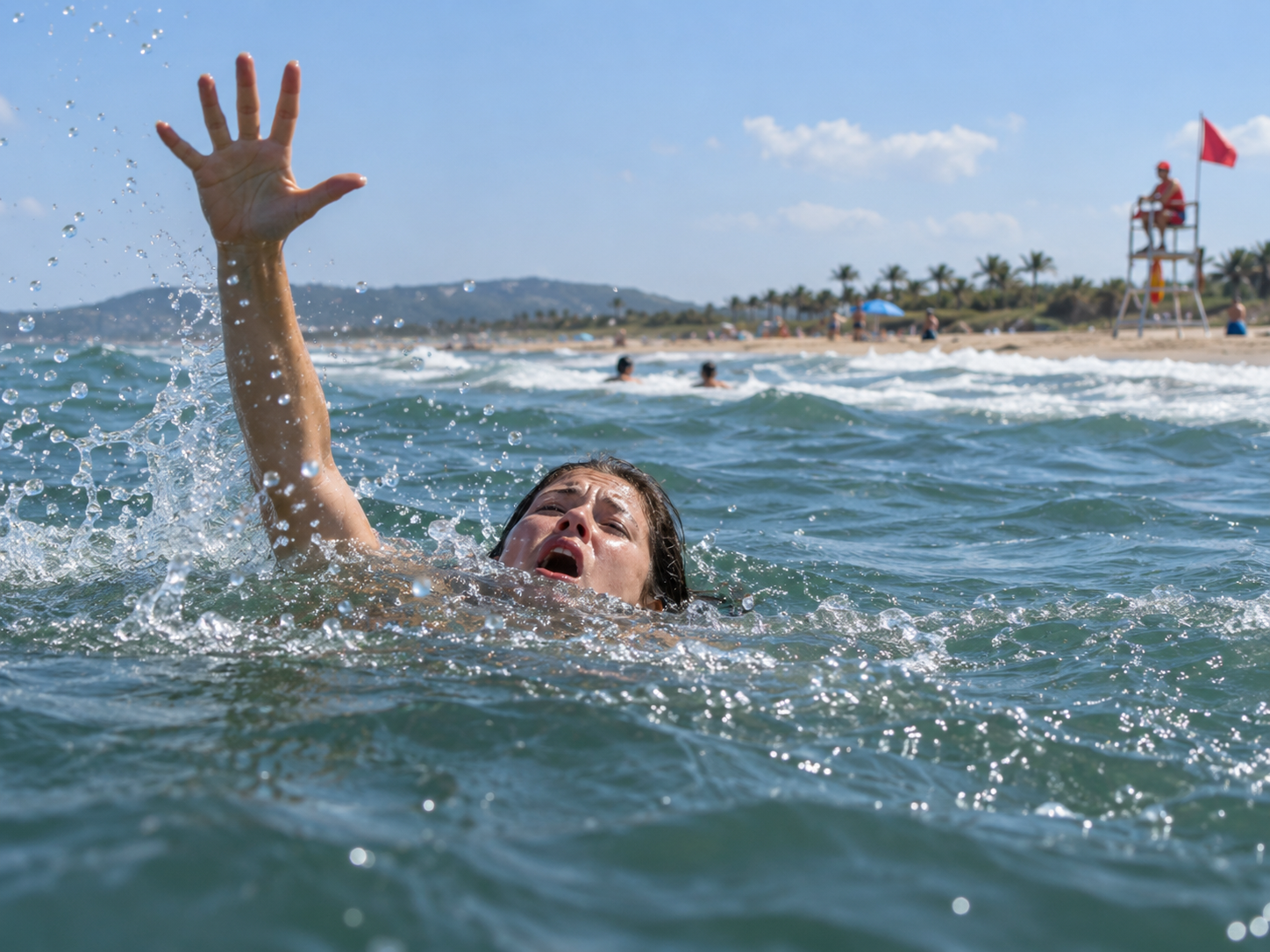
Our results:
./safety.sh
Run 1: 5%    0.599s
Run 2: 15%    0.279s
Run 3: 10%    0.282s
Run 4: 15%    0.282s
Run 5: 5%    0.273s
Run 6: 10%.    0.279s
Run 7: 10%    0.280s
Run 8: 20%    0.280s
Run 9: 25%    0.282s
Run 10: 2%    0.274s
After this we tried a number of different styles of prompts getting this eventually:
Run 2: 85%    0.272s
Run 3: 85%    0.284s
Run 4: 85%    0.282s
Run 5: 85%    0.273s
Run 6: 85%    0.264s
Run 7: 85%    0.275s
Run 8: 85%    0.278s
Run 9: 85%    0.277s
Run 10: 85%    0.277s
Our Prompt
#!/bin/bash

IMG=$(base64 -w0 test.png)

cat > request.json <<EOF
{
  "messages": [{
    "role": "user",
    "content": [
      {
        "type": "text",
       "text": "You are a visual water-safety detector.\n\nDetermine whether at least one person in this image shows visual signs that warrant immediate lifesaving attention.\n\nStrong emergency indicators include:\n- distressed or panicked facial expression\n- mouth or nose repeatedly at the waterline\n- head barely above water\n- one or both arms raised or reaching for help\n- uncontrolled splashing\n- inability to maintain a normal swimming posture\n- vertical or sinking body posture\n- apparent inability to make purposeful forward progress\n- obvious struggle to keep the airway above water\n\nIMPORTANT:\nDo not require proof that the person is physiologically drowning.\nThe question is whether the VISUAL EVIDENCE is sufficiently concerning that a lifeguard should investigate or intervene.\n\nUse this scale:\n0-10% = clearly normal swimming/recreation\n11-30% = unusual but probably safe\n31-50% = possible distress; investigate\n51-70% = substantial evidence of distress\n71-90% = strong evidence requiring immediate attention\n91-100% = unmistakable life-threatening water emergency\n\nEvaluate the most endangered-looking person in the image.\n\nReturn exactly one integer followed by a percent sign.\nReturn nothing else."
      },
      {
        "type": "image_url",
        "image_url": {
          "url": "data:image/png;base64,$IMG"
        }
      }
    ]
  }],
  "chat_template_kwargs": {
    "enable_thinking": false
  },
  "max_tokens": 20,
  "temperature": 0.0,
  "top_p": 1
}
EOF

for i in {1..10}; do
    START=$(date +%s%N)

    RESPONSE=$(curl -s \
      http://127.0.0.1:8080/v1/chat/completions \
      -H "Content-Type: application/json" \
      --data-binary @request.json)

    END=$(date +%s%N)

    ANSWER=$(echo "$RESPONSE" | jq -r '.choices[0].message.content')

    TIME=$(awk "BEGIN {printf \"%.3f\", ($END-$START)/1000000000}")

    echo "Run $i: $ANSWER    ${TIME}s"
done
Feeding Camera Stills Into A Safety LLM
This is an example build, with a few pre-requisites:
sudo apt install -y ffmpeg curl jq#!/bin/bash
CAMERA="/dev/video0"
SERVER="http://127.0.0.1:8080/v1/chat/completions"
IMAGE="/tmp/safety_frame.jpg"
PROMPT='You are a visual water-safety detector.
Determine whether at least one person in this image shows visual signs that warrant immediate lifesaving attention.
Strong emergency indicators include:
- distressed or panicked facial expression
- mouth or nose at the waterline
- head barely above water
- one or both arms raised or reaching for help
- uncontrolled splashing
- vertical or sinking body posture
- inability to make purposeful forward progress
- obvious struggle to keep the airway above water
Estimate the urgency of the most endangered-looking person.
Return exactly one integer from 0 to 100 followed by a percent sign.
Return nothing else.'
while true; do
# Capture a single frame
ffmpeg -loglevel error \
-f v4l2 \
-i "$CAMERA" \
-frames:v 1 \
-y "$IMAGE"
if [ ! -s "$IMAGE" ]; then
echo "Camera capture failed"
sleep 10
continue
fi
# Build the request safely without putting the image on the command line
{
printf '%s' '{
"messages":[{
"role":"user",
"content":[
{
"type":"text",
"text":'
jq -Rn --arg x "$PROMPT" '$x'
printf '%s' '},
{
"type":"image_url",
"image_url":{
"url":"data:image/jpeg;base64,'
base64 -w0 "$IMAGE"
printf '%s' '"
}
}
]
}],
"chat_template_kwargs":{
"enable_thinking":false
},
"max_tokens":20,
"temperature":0.0,
"top_p":1
}'
} > /tmp/safety_request.json
START=$(date +%s%N)
RESPONSE=$(curl -s \
"$SERVER" \
-H "Content-Type: application/json" \
--data-binary @/tmp/safety_request.json)
END=$(date +%s%N)
ANSWER=$(echo "$RESPONSE" | jq -r '
if .error then
"ERROR: " + (.error.message // (.error|tostring))
else
(.choices[0].message.content // "NO ANSWER")
end
')
TIME=$(awk "BEGIN {printf \"%.3f\", ($END-$START)/1000000000}")
echo "$(date '+%Y-%m-%d %H:%M:%S') $ANSWER ${TIME}s"
sleep 10
doneConclusion
There is real untapped future potential here - our model was a minimal 4B which can run on older 3060ti GPU's making the cost very low - per node, and it took some prompting to get it to respond accurately. We clearly delineate that this is only a superficial look, not a scientific study, or a engineering level review, but it shows that someone with some spare parts and a bit of time can make some pretty interesting projects - like babysitting the pets.