Top 25 Utility Docker Containers
We spin up 25 potential and powerful docker containers for all your utility testing!

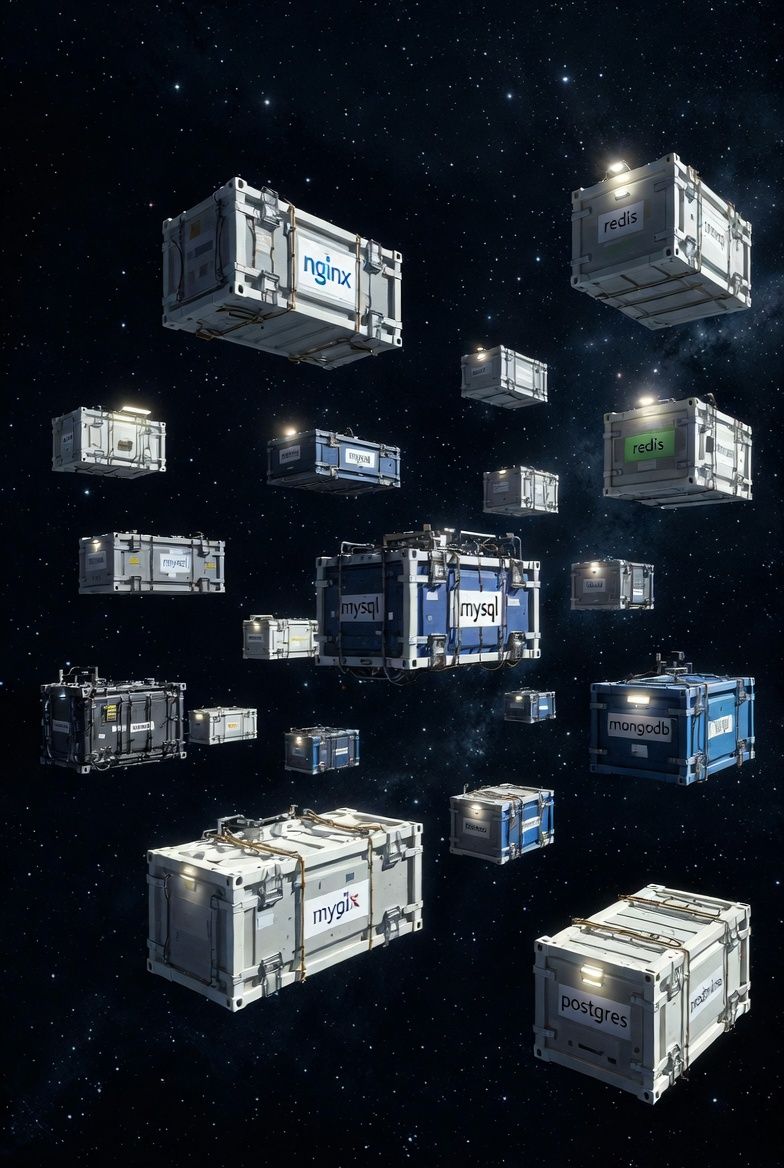
We get grok to find us, document for us and list the top-25 docker utility containers. Stuff you probably might not have known existed..
1. nicolaka/netshoot
This container is designed for network troubleshooting in Docker and Kubernetes environments. It includes a comprehensive set of networking tools such as tcpdump, iperf, curl, dig, and nmap, enabling users to diagnose connectivity issues, analyze traffic, test bandwidth, and resolve DNS problems within containerized setups.
# Sample Dockerfile based on the repository's configuration
FROM alpine:3.18

RUN apk --no-cache add \
    bash \
    bind-tools \
    bird \
    bridge-utils \
    busybox-extras \
    conntrack-tools \
    curl \
    dhcping \
    drill \
    ethtool \
    file \
    fping \
    httpie \
    iftop \
    iperf \
    iperf3 \
    iproute2 \
    ipset \
    iptables \
    iptraf-ng \
    iputils \
    jq \
    kubernetes \
    lftp \
    libcap-utils \
    mtr \
    net-snmp-tools \
    net-tools \
    netcat-openbsd \
    nftables \
    ngrep \
    nmap \
    nmap-nping \
    nmap-nselibs \
    nmap-scripts \
    openssl \
    py3-cryptography \
    py3-pip \
    python3 \
    scapy \
    socat \
    speedtest-cli \
    strace \
    tcpdump \
    tcptraceroute \
    tshark \
    util-linux \
    vim \
    websocat \
    wget \
    wireless-tools \
    zmap

ENTRYPOINT ["/bin/bash"]
# docker-compose.yml
version: '3'
services:
  netshoot:
    image: nicolaka/netshoot
    container_name: netshoot
    command: /bin/bash
    privileged: true
    cap_add:
      - NET_ADMIN
      - SYS_ADMIN
    network_mode: host
    volumes:
      - /var/run/docker.sock:/var/run/docker.sock
2. praqma/network-multitool
This multi-architecture container serves as a versatile tool for network testing and troubleshooting. It includes utilities like curl, dig, netcat, and wget, making it suitable for verifying network connectivity, performing HTTP requests, and debugging container networking configurations.
# Sample Dockerfile based on the repository's configuration
FROM alpine:latest

RUN apk add --update --no-cache \
    bash \
    bind-tools \
    busybox-extras \
    curl \
    iproute2 \
    iputils \
    jq \
    net-tools \
    netcat-openbsd \
    nmap \
    openssl \
    tcpdump \
    wget

CMD ["/bin/bash"]
# docker-compose.yml
version: '3'
services:
  multitool:
    image: praqma/network-multitool
    container_name: multitool
    command: /bin/bash
    privileged: true
    network_mode: host
3. busybox
Busybox provides a minimal set of UNIX utilities in a single executable, ideal for basic system diagnostics in resource-constrained environments. It can be used for file operations, network pings, and simple scripting to troubleshoot container issues.
# Sample Dockerfile for Busybox
FROM scratch
COPY busybox /bin/busybox
RUN ["/bin/busybox", "--install", "-s"]
ENTRYPOINT ["/bin/sh"]
# docker-compose.yml
version: '3'
services:
  busybox:
    image: busybox
    container_name: busybox
    command: sh
4. alpine
Alpine Linux is a lightweight distribution used for creating custom diagnostic containers. It supports tools for system inspection, package management, and basic networking, facilitating troubleshooting in minimalistic setups.
# Sample Dockerfile for Alpine
FROM scratch
ADD alpine-minirootfs.tar.gz /
CMD ["/bin/sh"]
# docker-compose.yml
version: '3'
services:
  alpine:
    image: alpine
    container_name: alpine
    command: sh
5. curlimages/curl
This container focuses on the curl tool for HTTP/HTTPS diagnostics. It is useful for testing API endpoints, downloading files, and verifying web service availability within containers.
# Sample Dockerfile based on repository
FROM alpine:3.18
RUN apk add --no-cache curl ca-certificates
ENTRYPOINT ["curl"]
# docker-compose.yml
version: '3'
services:
  curl:
    image: curlimages/curl
    container_name: curl
    command: --help
6. prometheus/prometheus
Prometheus is an open-source monitoring system for collecting and querying time-series metrics. It is employed for diagnosing performance issues in containers by scraping metrics from applications and infrastructure.
# Sample Dockerfile based on repository
FROM golang:1.21 as builder
WORKDIR /go/src/github.com/prometheus/prometheus
COPY . .
RUN make build

FROM quay.io/prometheus/busybox:latest
COPY --from=builder /go/src/github.com/prometheus/prometheus/prometheus /bin/prometheus
COPY --from=builder /go/src/github.com/prometheus/prometheus/promtool /bin/promtool
COPY --from=builder /go/src/github.com/prometheus/prometheus/tsdb /bin/tsdb
COPY documentation/examples/prometheus.yml /etc/prometheus/prometheus.yml
ENTRYPOINT ["/bin/prometheus"]
CMD ["--config.file=/etc/prometheus/prometheus.yml", "--storage.tsdb.path=/prometheus"]
# docker-compose.yml
version: '3'
services:
  prometheus:
    image: prom/prometheus
    container_name: prometheus
    volumes:
      - ./prometheus.yml:/etc/prometheus/prometheus.yml
    ports:
      - "9090:9090"
7. grafana/grafana
Grafana provides visualization and analytics for metrics data. It is used to create dashboards for monitoring container health, resource usage, and alerting on diagnostic thresholds.
# Sample Dockerfile based on repository
FROM alpine:3.18
RUN apk add --no-cache ca-certificates bash
COPY dist /opt/grafana
WORKDIR /opt/grafana
EXPOSE 3000
ENTRYPOINT ["./bin/grafana-server"]
# docker-compose.yml
version: '3'
services:
  grafana:
    image: grafana/grafana
    container_name: grafana
    ports:
      - "3000:3000"
    volumes:
      - grafana-data:/var/lib/grafana
volumes:
  grafana-data:
8. google/cadvisor
cAdvisor analyzes resource usage and performance characteristics of running containers. It aids in diagnosing CPU, memory, network, and storage issues at the container level.
# Sample Dockerfile based on repository
FROM golang:1.21 as builder
WORKDIR /cadvisor
COPY . .
RUN make build

FROM scratch
COPY --from=builder /cadvisor/cadvisor /usr/bin/cadvisor
EXPOSE 8080
ENTRYPOINT ["/usr/bin/cadvisor"]
# docker-compose.yml
version: '3'
services:
  cadvisor:
    image: gcr.io/cadvisor/cadvisor
    container_name: cadvisor
    volumes:
      - /:/rootfs:ro
      - /var/run:/var/run:rw
      - /sys:/sys:ro
      - /var/lib/docker/:/var/lib/docker:ro
    ports:
      - "8080:8080"
9. quay.io/prometheus/node-exporter
Node Exporter collects hardware and OS metrics exposed by Unix kernels. It is utilized for host-level diagnostics in containerized environments, monitoring CPU, disk, and network statistics.
# Sample Dockerfile based on repository
FROM golang:1.21 as builder
WORKDIR /node_exporter
COPY . .
RUN make build

FROM quay.io/prometheus/busybox:latest
COPY --from=builder /node_exporter/node_exporter /bin/node_exporter
EXPOSE 9100
ENTRYPOINT ["/bin/node_exporter"]
# docker-compose.yml
version: '3'
services:
  node-exporter:
    image: quay.io/prometheus/node-exporter
    container_name: node-exporter
    ports:
      - "9100:9100"
10. nicocool84/glances
Glances is a cross-platform monitoring tool that displays system information in a web or terminal interface. It is suitable for real-time diagnostics of CPU, memory, disk, and network usage in containers.
# Sample Dockerfile based on repository
FROM python:3.11-alpine
RUN pip install glances bottle psutil
ENTRYPOINT ["glances"]
CMD ["-w"]
# docker-compose.yml
version: '3'
services:
  glances:
    image: nicolcool84/glances
    container_name: glances
    privileged: true
    ports:
      - "61208:61208"
    environment:
      - GLANCES_OPT=-w
11. louislam/uptime-kuma
Uptime Kuma monitors the availability of services via HTTP, TCP, and ping. It is used for diagnostic alerting on downtime, latency issues, and certificate expirations in container deployments.
# Sample Dockerfile based on repository
FROM node:18-alpine
WORKDIR /app
COPY . .
RUN npm install --production
EXPOSE 3001
CMD ["node", "server/server.js"]
# docker-compose.yml
version: '3'
services:
  uptime-kuma:
    image: louislam/uptime-kuma
    container_name: uptime-kuma
    ports:
      - "3001:3001"
    volumes:
      - uptime-kuma-data:/app/data
volumes:
  uptime-kuma-data:
12. ntop/ntopng
ntopng is a network traffic probe that monitors network usage. It provides diagnostics for traffic analysis, protocol detection, and identifying bottlenecks in container networks.
# Sample Dockerfile based on repository
FROM ubuntu:22.04
RUN apt-get update && apt-get install -y ntopng
EXPOSE 3000
CMD ["ntopng"]
# docker-compose.yml
version: '3'
services:
  ntopng:
    image: ntop/ntopng
    container_name: ntopng
    ports:
      - "3000:3000"
    privileged: true
13. lissy93/web-check
Web-Check offers insights into website operations, including IP info, DNS records, and performance metrics. It is useful for diagnosing web service issues from within containers.
# Sample Dockerfile based on repository
FROM node:20
WORKDIR /app
COPY . .
RUN npm install
EXPOSE 3000
CMD ["node", "index.js"]
# docker-compose.yml
version: '3'
services:
  web-check:
    image: lissy93/web-check
    container_name: web-check
    ports:
      - "3000:3000"
14. changedetectionio/changedetection.io
This tool monitors web pages for changes. It is applied in diagnostics to track updates in configurations, news, or APIs relevant to container operations.
# Sample Dockerfile based on repository
FROM python:3.11
WORKDIR /app
COPY . .
RUN pip install -r requirements.txt
EXPOSE 5000
CMD ["python", "changedetection.py"]
# docker-compose.yml
version: '3'
services:
  changedetection:
    image: changedetectionio/changedetection.io
    container_name: changedetection
    ports:
      - "5000:5000"
    volumes:
      - ./datastore:/datastore
15. aquasec/trivy
Trivy scans container images for vulnerabilities. It is essential for security diagnostics, identifying risks in dependencies and configurations.
# Sample Dockerfile based on repository
FROM golang:1.21-alpine
RUN go install github.com/aquasec/trivy/cmd/trivy@latest
ENTRYPOINT ["trivy"]
# docker-compose.yml
version: '3'
services:
  trivy:
    image: aquasec/trivy
    container_name: trivy
    command: image --exit-code 0 --no-progress alpine:latest
    volumes:
      - /var/run/docker.sock:/var/run/docker.sock
16. anchore/grype
Grype is a vulnerability scanner for container images. It supports diagnostics by detecting and prioritizing security issues in software bills of materials.
# Sample Dockerfile based on repository
FROM golang:1.21
WORKDIR /grype
COPY . .
RUN make install
ENTRYPOINT ["grype"]
# docker-compose.yml
version: '3'
services:
  grype:
    image: anchore/grype
    container_name: grype
    command: alpine:latest
17. goodwithtech/dockle
Dockle lints container images for best practices and misconfigurations. It is used for diagnostic checks on image security and compliance.
# Sample Dockerfile based on repository
FROM golang:1.21-alpine
RUN go install github.com/goodwithtech/dockle/cmd/dockle@latest
ENTRYPOINT ["dockle"]
# docker-compose.yml
version: '3'
services:
  dockle:
    image: goodwithtech/dockle
    container_name: dockle
    command: alpine:latest
    volumes:
      - /var/run/docker.sock:/var/run/docker.sock
18. wagoodman/dive
Dive analyzes Docker image layers for size and content. It helps in diagnosing image bloat and optimizing builds for efficiency.
# Sample Dockerfile based on repository
FROM golang:1.21
WORKDIR /dive
COPY . .
RUN make build
ENTRYPOINT ["./bin/dive"]
# docker-compose.yml
version: '3'
services:
  dive:
    image: wagoodman/dive
    container_name: dive
    command: alpine:latest
19. docker/docker-bench-security
This tool audits Docker installations against security best practices. It is employed for comprehensive diagnostics of host and container security postures.
# Sample Dockerfile based on repository
FROM alpine:3.18
COPY . /usr/bin
RUN apk add --no-cache bash docker
ENTRYPOINT ["/usr/bin/docker-bench-security.sh"]
# docker-compose.yml
version: '3'
services:
  docker-bench:
    image: docker/docker-bench-security
    container_name: docker-bench
    privileged: true
    volumes:
      - /etc:/etc:ro
      - /usr/bin/docker:/usr/bin/docker:ro
      - /var/run/docker.sock:/var/run/docker.sock:ro
20. raesene/alpine-containertools
This image includes tools for container security assessments. It supports diagnostics through utilities for vulnerability scanning and configuration checks.
# Sample Dockerfile based on repository
FROM alpine:3.18
RUN apk add --no-cache nmap nikto sqlmap
CMD ["/bin/sh"]
# docker-compose.yml
version: '3'
services:
  alpine-containertools:
    image: raesene/alpine-containertools
    container_name: alpine-containertools
    command: sh
21. digitalocean/doks-debug
Designed for debugging Kubernetes clusters on DigitalOcean, this container includes tools for cluster diagnostics, such as kubectl and helm.
# Sample Dockerfile based on repository
FROM alpine:3.18
RUN apk add --no-cache kubectl helm
CMD ["/bin/sh"]
# docker-compose.yml
version: '3'
services:
  doks-debug:
    image: digitalocean/doks-debug
    container_name: doks-debug
    command: sh
22. arunvelsriram/utils
This utility container provides database clients and message queue tools. It is useful for diagnosing connectivity to databases and queues in distributed systems.
# Sample Dockerfile based on repository
FROM alpine:3.18
RUN apk add --no-cache postgresql-client mysql-client redis
CMD ["/bin/sh"]
# docker-compose.yml
version: '3'
services:
  utils:
    image: arunvelsriram/utils
    container_name: utils
    command: sh
23. ghcr.io/go-containerregistry/crane:debug
Crane is a tool for interacting with container registries. The debug variant aids in diagnosing registry issues by listing and inspecting images.
# Sample Dockerfile based on repository
FROM golang:1.21
RUN go install github.com/google/go-containerregistry/cmd/crane@latest
CMD ["crane"]
# docker-compose.yml
version: '3'
services:
  crane:
    image: ghcr.io/go-containerregistry/crane:debug
    container_name: crane
    command: --help
24. remnux/remnux
REMnux is a toolkit for malware analysis and reverse-engineering. It is applied in forensic diagnostics of suspicious files and network artifacts in containers.
# Sample Dockerfile based on repository
FROM ubuntu:22.04
RUN apt-get update && apt-get install -y remnux-tools
CMD ["/bin/bash"]
# docker-compose.yml
version: '3'
services:
  remnux:
    image: remnux/remnux
    container_name: remnux
    command: bash
25. praqma/dockscan
Dockscan analyzes Docker installations for security vulnerabilities. It provides diagnostic reports on host and container configurations to identify risks.
# Sample Dockerfile based on tool description
FROM ruby:3.2-alpine
RUN gem install dockscan
ENTRYPOINT ["dockscan"]
# docker-compose.yml
version: '3'
services:
  dockscan:
    image: praqma/dockscan
    container_name: dockscan
    privileged: true
    volumes:
      - /var/run/docker.sock:/var/run/docker.sock
