Installing and Compiling FreeCad From Source
We go over compiling FreeCAD from github, and it is a challenge!

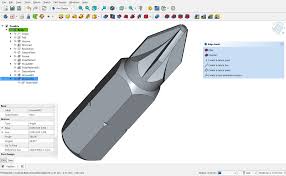
FreeCad is a powerful parametric modeler. However if you start to use the add-on's the standard .appimage may not work. That pushes you into 'rolling-your-own' which can get challenging! But it doesn't have to be!
- Please note - they give you long install guides - not showing you that it's now inherit to many Linux flavours. Before you waste a giant amount of time on this guide just try this:
sudo apt install freecad scipy- This on ParrotOS as of early 2026 will install a powerful and loaded freecad without wasting your time downloading the one from the official site which is sorta crippled. scipy will probably also be needed. That's it. However nobody really 'spells' that out and you end up in a giant circle of trying an enourmous number of libraries. Anyways.. This guide is for reference / legacy purposes.
(Try To..) Avoid the Hard Mess
- Just understand that how this typically goes is A. You github the repo. B. You call 'cmake . ' and C. You get an error (over and over and over) because a missing library is not there (and it needs MANY!..)
- Hopefully these cut-n-paste commands will save you A LOT of time!
- aptitude / backports is pretty much required to get the variant versions of libraries.
- We spent about 5 hours collecting the libraries, debugging the cmake . repeatedly, and compiled this guide to hopefully save you that time so you can just focus on the build.
- This build was done on ParrotOS, your mileage may vary depending on your Linux variant.
- Have patience, and have fun! Eventually you can do it!
Prerequisites..
sudo apt update
sudo apt install build-essential cmake git ninja-build python3-dev python3-venv python3-pip libclang-dev llvm-dev- Pyside-6 can will be needed and is a bit of a setup (this did not work too cleanly but is for reference..)
git clone https://code.qt.io/pyside/pyside-setup.git
cd pyside-setup
python3 -m venv venv
source venv/bin/activate
pip install --upgrade pip setuptools wheel
python setup.py install \
  --qtpaths=/opt/Qt/6.8.0/gcc_64/bin/qtpaths \
  --ignore-git \
  --debug \
  --build-tests \
  --parallel=8 \
  --verbose \
  --module-subset=Core,Gui,Widgets,UiTools,SvgWidgets
Part A. Simple Install (May not Work but Try it)
- Download your the latest version
git clone https://github.com/FreeCAD/FreeCAD.git
cd FreeCAD
From this point you will need to install a Qt5/6 Framework for the GUI:
- For QT5
sudo apt update
sudo apt install -f aptitude qtbase5-dev qttools5-dev libqt5opengl5-dev libqt5svg5-dev qtwebengine5-dev libqt5xmlpatterns5-dev libqt5x11extras5-dev - For QT6
sudo apt install qt6-base-dev qt6-svg-dev qt6-tools-dev qt6-webengine-dev- Install libyaml / libicu / pybind11 / libxerces / libocct* / etc etc etc..
sudo apt update
sudo apt install libyaml-cpp-dev -y
sudo apt install libicu-dev -y
sudo apt install pybind11-dev -y
sudo apt install libxerces-c-dev -y
sudo apt install libocct-*-dev -y
sudo aptitude install libvtk9-dev -y
sudo aptitude install libmedc-dev
sudo aptitude install swig -y
sudo aptitude install libcoin-dev -y
sudo aptitude install qt6-base-dev qt6-base-private-dev
sudo apt install python3-pivy -y
sudo apt install libboost-regex-dev -y
sudo apt install libboost-thread-dev -y
sudo apt install python3-lark -y
sudo apt install libspnav-dev -y
sudo apt install python3-pyside2.qtcore python3-pyside2.qtgui python3-pyside2.qtwidgets python3-pyside2.qtsvg python3-pyside2.qtxml python3-pyside2.qtuitools -y
sudo apt install libpyside2* pyside2-tools -y
sudo apt install libcoin-doc -y
git submodule update --init
You may additionally be interested in adding opencv (another 290MB)
sudo apt install libopencv-dev -yPart B. More Intensive Support Library Install
- If you get errors during this process you can try a more aggressive way, via adding the back-ports repositories:
echo "deb http://deb.debian.org/debian bookworm-backports main contrib non-free non-free-firmware" | sudo tee /etc/apt/sources.list.d/bookworm-backports.list- And then update repository:
sudo apt update
sudo apt install aptitude -y
sudo aptitude install -t bookworm-backports libheif-dev libhwloc-dev libwebp-dev
- Aptitude can lock to older and or synchronized libraries, so:
sudo apt install -t bookworm-backports qtbase5-dev qttools5-dev libqt5opengl5-dev libqt5svg5-dev qtwebengine5-dev libqt5xmlpatterns5-dev libqt5x11extras5-devFinish with one more:
sudo apt updateInstall libyaml, libicu-dev, pybind11, libxerces, libocct*, and the big one libvtk9-dev which depending may pull about 490MB of libaries around it.
sudo apt update
sudo apt install libyaml-cpp-dev -y
sudo apt install libicu-dev -y
sudo apt install pybind11-dev -y
sudo apt install libxerces-c-dev -y
sudo apt install libocct-*-dev -y
sudo aptitude install libvtk9-dev -y
sudo aptitude install libmedc-dev
sudo aptitude install swig -y
sudo aptitude install libcoin-dev -y
sudo aptitude install qt6-base-dev qt6-base-private-dev
sudo apt install python3-pivy -y
sudo apt install libboost-regex-dev -y
sudo apt install libboost-thread-dev -y
sudo apt install python3-lark -y
sudo apt install libspnav-dev -y
sudo apt install python3-pyside2.qtcore python3-pyside2.qtgui python3-pyside2.qtwidgets python3-pyside2.qtsvg python3-pyside2.qtxml python3-pyside2.qtuitools -y
sudo apt install libpyside2* pyside2-tools -y
sudo apt install libcoin-doc -y
git submodule update --init
You can then add opencv
sudo apt install libopencv-dev -yCompiling the Source
- One more time.
cmake .If it gets corrupted you can flush the CMakeCache.txt and try with options:
rm CMakeCache.txt
cmake -DShiboken2_DIR=/usr/lib/x86_64-linux-gnu/cmake/Shiboken2 \
      -DPySide2_DIR=/usr/lib/x86_64-linux-gnu/cmake/PySide2 \
      -DSHIBOKEN_INCLUDE_DIR=/usr/include/shiboken2 \
      -DPYSIDE_INCLUDE_DIR=/usr/include/PySide2 \
      -DVTK_DIR=/usr/lib/cmake/vtk-9.1 \
-DQt5_DIR=/path/to/Qt5/lib/cmake/Qt5 ..- If it still is fighting you - just wipe the directory and repeat (remember you have installed all the support libaries at this point - so it just continues..)
git clone https://github.com/FreeCAD/FreeCAD.git
cd FreeCAD
git submodule update --init
Finally the big. last. command.
make -j$(nproc)At this point the amazing eye-candy rolls will begin
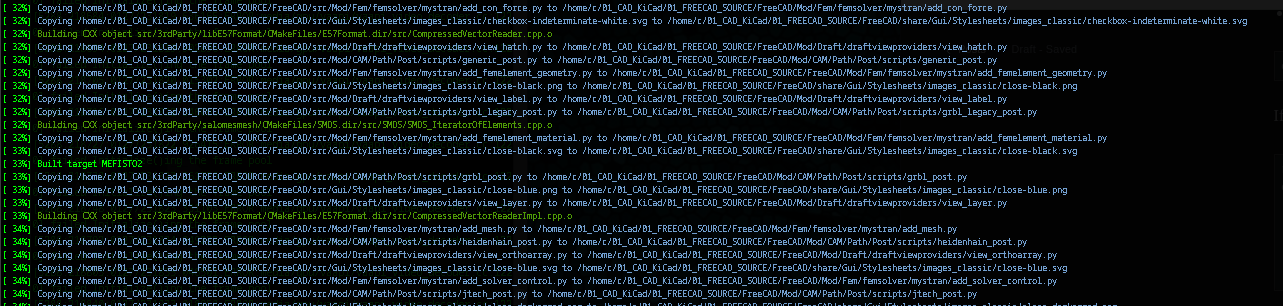
Or alternately, after running cmake, it should give you a command as:
cmake --build {FreeCAD_Directory}/FreeCADComments - After more inspection this guide was not fully complete - as compiling without Qt6 (from its source - and it's own process) is a pre-requisite.
