Sigrok for Raspberry Pi - a Cross Compiler Script and Installation.
We use a Grok Written Script to compile and build sogrok from scratch using a sysroot!

- sigrok is a powerful logic analyzer that can map the output and timings of digital pins allowing you to see if you physically are driving a GPIO pin.
- One may need to compile software directly to run on a Raspberry Pi. Because they utilize arm32, arm64, and now with Raspberry Pi 5 - the bcom architectures, you will need to modify your gcc settings depending. Grok gives us this information:
- This script is powerful because you can equally do the compiling on a PC - using the raspberry pi as a reference library of objects - this can speed up stuff dramatically when you are not 'locked' to using the minimal processing power of the Raspberry Pi, but can use the more powerful CPU of a larger high-core server.
Applicable -march Settings
The following -march values are supported by GCC for AArch64 and apply to Raspberry Pi ARM64 architectures. They are listed in increasing order of feature richness, with notes on compatibility across models. GCC natively supports all these settings, meaning it can generate code for them without requiring external patches or custom configurations, as long as the GCC version is sufficiently recent (e.g., GCC 8 or later, which is standard on modern systems). Using a higher -march than the hardware supports may result in code that fails to execute due to unsupported instructions.
- -march=armv8-a: The baseline for all ARM64 Raspberry Pi models (Pi 3, 4, and 5). This enables the core ARMv8-A instruction set, including floating-point (+fp) and Advanced SIMD (+simd) by default. It is fully compatible and recommended for broad portability across these models.
- -march=armv8-a+crc: Extends armv8-a with the CRC (Cyclic Redundancy Check) extension for improved checksum operations. Supported on all ARM64 Raspberry Pi models, as their CPUs implement this hardware feature.
- -march=armv8.1-a: Includes all features of armv8-a, plus extensions such as Large System Extension (+lse), Round Double Multiply Accumulate (+rdma), and CRC (+crc enabled by default). Compatible with Raspberry Pi 4 and 5; may not be fully supported on Pi 3 without fallback handling for unsupported instructions.
- -march=armv8.2-a: Builds on armv8.1-a with additional features like optional half-precision floating-point extensions. Specifically applicable to the Raspberry Pi 5, but backward-compatible with Pi 3 and 4 if no higher instructions are used.
- -march=armv8-a+crypto (or equivalents like armv8.1-a+crypto): Enables the Crypto extension (+crypto), which includes AES, SHA2, and polynomial multiply instructions. While GCC natively supports this for code generation, it is not natively implemented in the hardware of Raspberry Pi CPUs (Cortex-A53, A72, or A76). Enabling it may lead to runtime errors (e.g., illegal instructions) on these devices unless software emulation is used, which is inefficient. Thus, it applies but is not recommended for Raspberry Pi without verification.
A sigrok Universal Script for Compiling on Various Raspberry Pi Machines
#!/bin/bash

# Function to display usage
usage() {
    echo "Usage: $0 --arch <32|64> --rpi-ip <IP> [--rpi-user <user>] [--build-gui <yes|no>] [--march <flag>]"
    echo "  --arch: Target architecture (32 for arm-linux-gnueabihf, 64 for aarch64-linux-gnu)"
    echo "  --rpi-ip: IP address of the Raspberry Pi for sysroot"
    echo "  --rpi-user: SSH username on Raspberry Pi (default: pi)"
    echo "  --build-gui: Build PulseView GUI (yes/no, default: no)"
    echo "  --march: Optional GCC -march flag (e.g., armv8-a)"
    exit 1
}

# Parse arguments
while [[ $# -gt 0 ]]; do
    case $1 in
        --arch) ARCH="$2"; shift 2 ;;
        --rpi-ip) RPI_IP="$2"; shift 2 ;;
        --rpi-user) RPI_USER="$2"; shift 2 ;;
        --build-gui) BUILD_GUI="$2"; shift 2 ;;
        --march) MARCH="$2"; shift 2 ;;
        *) usage ;;
    esac
done

# Validate required arguments
if [ -z "$ARCH" ] || [ -z "$RPI_IP" ]; then
    usage
fi
RPI_USER=${RPI_USER:-pi}
BUILD_GUI=${BUILD_GUI:-no}
MARCH=${MARCH:-}

# Determine toolchain triplet
if [ "$ARCH" == "32" ]; then
    TRIPLET="arm-linux-gnueabihf"
    TOOLCHAIN_PKG="gcc-arm-linux-gnueabihf g++-arm-linux-gnueabihf"
elif [ "$ARCH" == "64" ]; then
    TRIPLET="aarch64-linux-gnu"
    TOOLCHAIN_PKG="gcc-aarch64-linux-gnu g++-aarch64-linux-gnu"
else
    echo "Invalid architecture. Use 32 or 64."
    exit 1
fi

# Set directories
SYSROOT_DIR="$HOME/rpi-sysroot-$ARCH"
PREFIX_DIR="$HOME/sigrok-arm-$ARCH"
UTIL_DIR="$HOME/sigrok-util"
BUILD_DIR="$UTIL_DIR/cross-compile/linux/build-$ARCH"
SCRIPT_FILE="$UTIL_DIR/cross-compile/linux/sigrok-cross-linux"

# Step 1: Install prerequisites
echo "Installing host prerequisites..."
sudo apt update
sudo apt install -y git autoconf automake libtool pkg-config cmake make gcc g++ \
    libglib2.0-dev libusb-1.0-0-dev libzip-dev zlib1g-dev libftdi1-dev \
    libhidapi-dev libserialport-dev rsync $TOOLCHAIN_PKG

# Step 2: Set up sysroot
echo "Setting up sysroot from Raspberry Pi..."
mkdir -p "$SYSROOT_DIR"
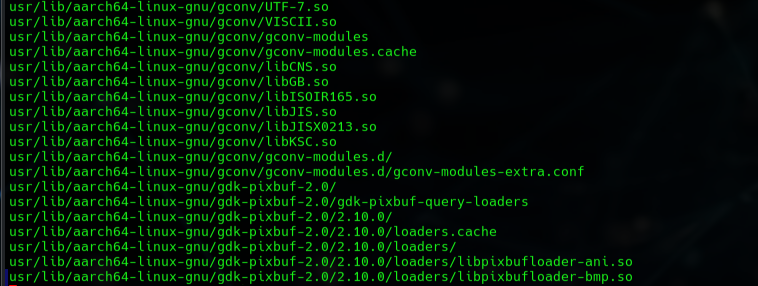
rsync -avz --rsync-path="sudo rsync" "$RPI_USER@$RPI_IP:/lib" "$SYSROOT_DIR"
rsync -avz --rsync-path="sudo rsync" "$RPI_USER@$RPI_IP:/usr" "$SYSROOT_DIR"

# Step 3: Clone sigrok-util
echo "Cloning sigrok-util repository..."
git clone https://sigrok.org/git/sigrok-util.git "$UTIL_DIR" || { echo "Clone failed"; exit 1; }

# Step 4: Modify sigrok-cross-linux script
echo "Modifying cross-compilation script..."
cd "$UTIL_DIR/cross-compile/linux"
cp sigrok-cross-linux sigrok-cross-linux-arm

# Use sed to modify the script (adjust as needed for your environment)
sed -i "s|^TOOLCHAIN=.*|TOOLCHAIN=/usr|" sigrok-cross-linux-arm
sed -i "s|^TOOLCHAIN_TRIPLET=.*|TOOLCHAIN_TRIPLET=$TRIPLET|" sigrok-cross-linux-arm
sed -i "s|^C=\"--host=.*|C=\"--host=\$TOOLCHAIN_TRIPLET --sysroot=$SYSROOT_DIR\"|" sigrok-cross-linux-arm
sed -i "s|^export PATH=.*|export PATH=\$TOOLCHAIN/bin:\$PATH|" sigrok-cross-linux-arm
sed -i "s|^PREFIX=.*|PREFIX=$PREFIX_DIR|" sigrok-cross-linux-arm
sed -i "s|^BUILDDIR=.*|BUILDDIR=$BUILD_DIR|" sigrok-cross-linux-arm
sed -i "s|^PARALLEL=.*|PARALLEL=\"-j \$(nproc)\"|" sigrok-cross-linux-arm

# Add MARCH if specified
if [ -n "$MARCH" ]; then
    sed -i "/^export CFLAGS=/ s/$/ -march=$MARCH/" sigrok-cross-linux-arm
    sed -i "/^export CXXFLAGS=/ s/$/ -march=$MARCH/" sigrok-cross-linux-arm
fi

# Disable PulseView if not building GUI
if [ "$BUILD_GUI" != "yes" ]; then
    sed -i '/^# PulseView$/,/^$/ s/^/#/' sigrok-cross-linux-arm  # Comment out PulseView section
fi

# Add PKG_CONFIG_PATH for sysroot
sed -i "/^export PATH=/a export PKG_CONFIG_PATH=$SYSROOT_DIR/usr/lib/pkgconfig:$SYSROOT_DIR/usr/share/pkgconfig" sigrok-cross-linux-arm

# Step 5: Execute the modified script
echo "Executing cross-compilation..."
chmod +x sigrok-cross-linux-arm
./sigrok-cross-linux-arm

# Step 6: Completion
if [ $? -eq 0 ]; then
    echo "Compilation completed successfully. Binaries installed to $PREFIX_DIR."
    echo "Transfer to Raspberry Pi: rsync -avz $PREFIX_DIR/ $RPI_USER@$RPI_IP:~/sigrok-arm"
else
    echo "Compilation failed. Check logs in $BUILD_DIR for details."
fi- We were curious why a sysroot environment required setup - effectively it creates a vitual directory that will match the compiling environment to ensure that compilation is effective - which is strange as it has you rsync back into your raspberry pi - but it works
It should be noted that you can put this inside a file say - compile_sigrok.sh and then make it executable with:
chmod +x compile_sigrok.shWhen it is run it will present with the following command line:
Usage: ./complile_sigrok.sh --arch <32|64> --rpi-ip <IP> [--rpi-user <user>] [--build-gui <yes|no>] [--march <flag>]
--arch: Target architecture (32 for arm-linux-gnueabihf, 64 for aarch64-linux-gnu)
--rpi-ip: IP address of the Raspberry Pi for sysroot
--rpi-user: SSH username on Raspberry Pi (default: pi)
--build-gui: Build PulseView GUI (yes/no, default: no)
--march: Optional GCC -march flag (e.g., armv8-a)
We ran it as:
./complile_sigrok.sh --arch 64 --rpi-ip 192.168.1.23 --rpi-user c --build-gui yes- Now we find something to do - this takes a LONG time.
What a Sysroot Is
A sysroot is a directory on the host machine that contains a subset of the target system's filesystem—specifically, the headers (/usr/include), libraries (/usr/lib, /lib), and related files required for compilation and linking. It acts as a "fake" root filesystem for the cross-compiler, allowing it to reference the target environment rather than the host's native one.
Why It Is Required in Cross-Compilation
When cross-compiling:
- The cross-compiler (e.g., aarch64-linux-gnu-gcc or arm-linux-gnueabihf-gcc) generates ARM-compatible object files and executables.
- However, the compiler must know the exact layout, versions, and symbols of libraries and headers on the target system (Raspberry Pi OS on ARM).
- Without a sysroot, the compiler defaults to the host's headers and libraries (e.g., x86_64 glibc and libusb), which differ in:
- Architecture (ABI mismatch)
- Library versions (e.g., glibc 2.35 on host vs. 2.31 or 2.36 on Raspberry Pi OS)
- Symbol availability and function signatures This leads to:
- Compilation errors (missing headers or undefined symbols)
- Linking failures (incompatible object files)
- Runtime errors on the target device (illegal instructions, missing shared libraries, or segmentation faults)
By providing a sysroot populated with files from the actual target device:
- The --sysroot option passed to the compiler (via the toolchain triplet and script modifications) directs it to use the target's headers during compilation and the target's libraries during linking.
- The resulting binaries are guaranteed to be compatible with the specific Raspberry Pi OS installation, including correct runtime dependencies (e.g., libglib-2.0.so, libusb-1.0.so).
Why rsync from the Running Raspberry Pi
The script uses rsync to copy /lib and /usr directly from a live Raspberry Pi because:
- Raspberry Pi OS is Debian-based, and package versions (e.g., libusb-1.0, libzip, glib) can vary between releases or custom configurations.
- Copying from the device ensures exact matching of library versions, header files, pkg-config files (.pc files in /usr/lib/pkgconfig), and symbolic links.
- Alternatives (e.g., downloading pre-built sysroots or using debootstrap to create one) are possible but often less reliable or more complex, as they may not perfectly match your Pi's installed packages and versions.
- The --rsync-path="sudo rsync" is necessary because /lib and parts of /usr are owned by root on the Pi, and remote rsync over SSH requires elevated privileges on the remote side to read them.
Specific Relevance to sigrok
sigrok relies on several system libraries (e.g., libglib2.0, libusb-1.0, libserialport, libftdi1, libhidapi, libzip) with development headers and pkg-config metadata. Cross-compiling without a matching sysroot frequently fails due to:
- Incompatible glibc or libstdc++ versions
- Missing or mismatched .pc files, causing pkg-config to report incorrect paths or versions
- Linking against host libraries, producing ARM binaries that crash on the Pi
By syncing the sysroot first, the script ensures that configure, autotools, and CMake (used by PulseView) detect and use the correct target environment.
Summary
This step is not optional for reliable cross-compilation—it bridges the architectural and environmental gap between host and target. Without it, the build would almost certainly produce binaries that fail to run on the Raspberry Pi. If your Raspberry Pi OS version changes significantly (e.g., after an upgrade), re-run this step to refresh the sysroot. For native builds directly on the Pi, this step is unnecessary, as the compiler already uses the local filesystem. If you have further questions about optimizing or troubleshooting this part, please provide details.
Compiling on the PC:
- We built the exact same script on a PC, ran it with these options - and pointed the rsync back to the same raspberry pi:
/sigrok.sh --arch 64 --rpi-ip 192.168.1.23 --rpi-user c --build-gui yes- It should be noted that if the program is ran twice rsync is insanely fast - once the files have been moved over.
