Raspberry Pi Zero Accurate Timings to 250 uS. A pigpio Example
We go over 5 us Accurate Timers using pigpio!

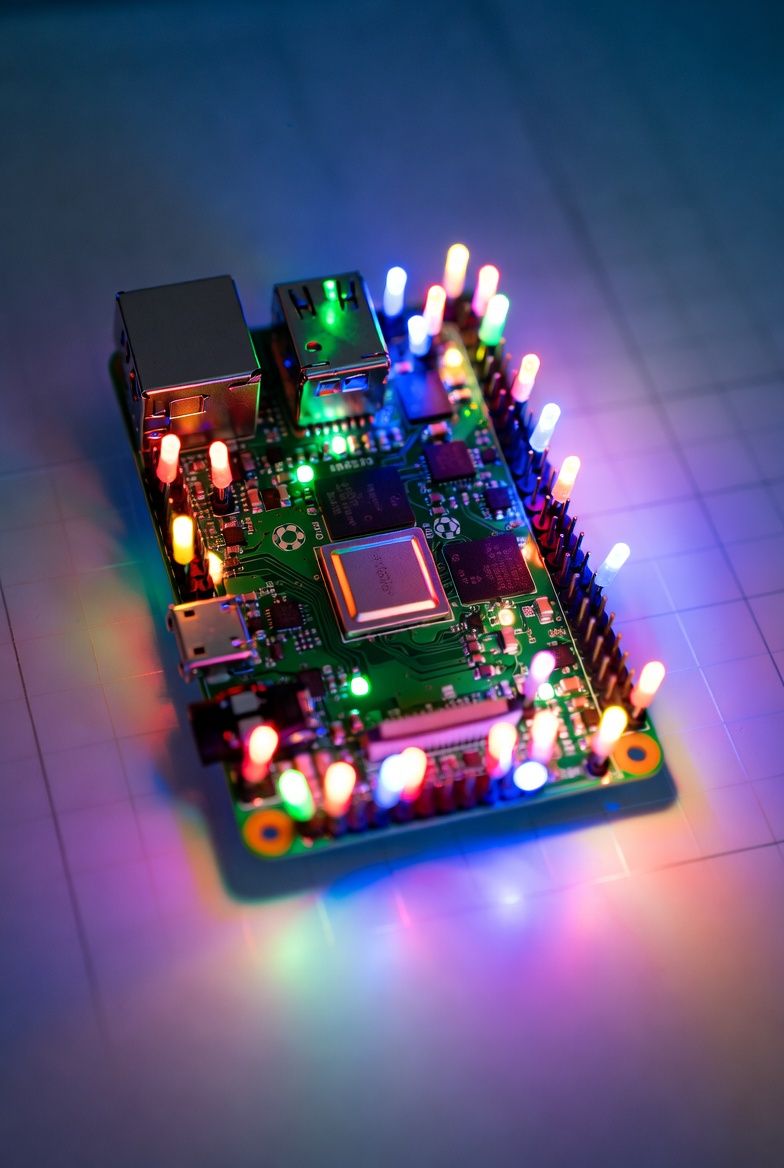
Accurate GPIO Toggle timings are critical, and not as simple as you think! A little background is that a non-RTOS (Real Time Operating System) such as Linux will be handling many many interrupt handlers. Interrupts are events, your mouse moved, fire an interrupt, you typed a 'k' fire an interrupt, all of this distracts from your computers clock-cycles.
You can completely eliminate the operating system and go to bare-metal, but you loose all that Linux functionality - there has to be a balance!
Enter pigpio.
sudo apt install pigpioOnce it is installed you can enable it easily with:
sudo systemctl enable pigpiodAnd then to start it / or stop it, and recall the software will activate it, it just needs to reside in the system.
sudo pigpiod
sudo killall pigpiod
It is not Free -
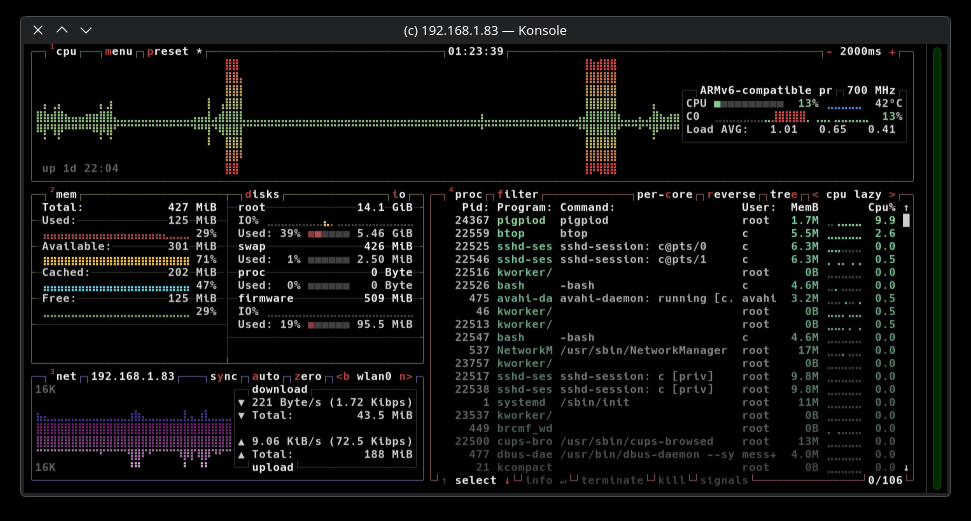
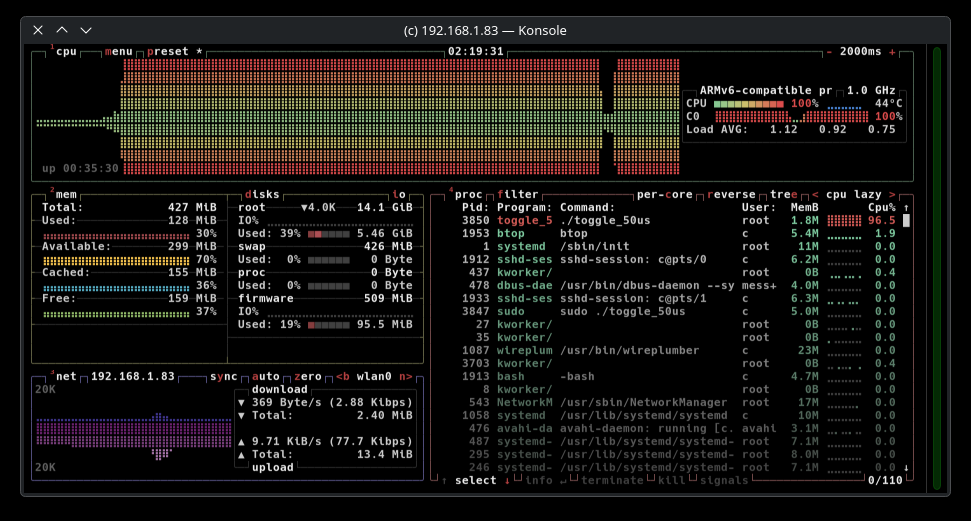
We noticed right away that when the pigpiod was started the cpu load on the Raspberry Pi Zero went from an idling 3% to about 12%, here is the btop screenshot
But we now have ~5 us accurate timers (or... do we?) Spoiler yes, and maybe no.
Our Code Example(s) will toggle every 10,50,100,250, and 500 us, we will check it's accuracy shortly..
/*
 * toggle_100us.c
 *
 * Toggles a GPIO pin at 10 kHz (every 100 µs) using pigpio hardware timing.
 * Requires pigpiod daemon to be running.
 *
 * Compile with:
 *     gcc -Wall -o toggle_100us toggle_100us.c -lpigpio -lrt
 *
 * Run with:
 *     sudo ./toggle_100us
 *
 * Press Ctrl+C to exit cleanly.
 */

#include <stdio.h>
#include <stdlib.h>
#include <signal.h>
#include <pigpio.h>

#define GPIO_PIN       18       // Change to your desired GPIO (BCM numbering)
// We setup a version with 10, 50, 100, 250, 500 for this value.
#define TOGGLE_PERIOD  100      // microseconds (100 µs = 10 kHz square wave)
#define RUNNING        1
#define STOPPED        0

volatile int running = RUNNING;

static void signal_handler(int sig)
{
    (void)sig;
    running = STOPPED;
}

int main(void)
{
    int status;
    int level = 0;

    // Register clean exit on Ctrl+C
    signal(SIGINT,  signal_handler);
    signal(SIGTERM, signal_handler);

    printf("Starting GPIO toggle on pin %d every %d µs...\n", GPIO_PIN, TOGGLE_PERIOD);
    printf("Press Ctrl+C to stop.\n\n");

    // Initialize pigpio
    status = gpioInitialise();
    if (status < 0)
    {
        fprintf(stderr, "pigpio initialisation failed (%d)\n", status);
        return EXIT_FAILURE;
    }

    // Set GPIO as output
    gpioSetMode(GPIO_PIN, PI_OUTPUT);

    // Optional: set stronger drive strength (default is 8 mA)
    // gpioSetPWMrange() and gpioSetPWMDutycycle() not needed here

    printf("pigpio initialized. Toggling GPIO %d...\n", GPIO_PIN);

    while (running == RUNNING)
    {
        level = !level;                   // toggle 0 ↔ 1
        gpioWrite(GPIO_PIN, level);       // immediate write (very fast)

        // Precise delay using pigpio's hardware-timed function
        gpioDelay(TOGGLE_PERIOD);
    }

    // Cleanup
    gpioWrite(GPIO_PIN, 0);               // ensure pin is low on exit
    gpioSetMode(GPIO_PIN, PI_INPUT);      // return to safe default state
    gpioTerminate();

    printf("\nProgram terminated. GPIO %d set to input/low.\n", GPIO_PIN);

    return EXIT_SUCCESS;
}
When we ran this software it flooded the cpu - this was disappointing as it was using an enormous amout of the limited compute power to do this.
Our Compilation Script:
gcc -Wall -o toggle_10us timer_10.c -lpigpio -lrt
gcc -Wall -o toggle_50us timer_50.c -lpigpio -lrt
gcc -Wall -o toggle_100us timer_100.c -lpigpio -lrt
gcc -Wall -o toggle_250us timer_250.c -lpigpio -lrt
gcc -Wall -o toggle_500us timer_500.c -lpigpio -lrt
Timer_10.c (10 us pulses)
This maxed out the CPU (100%), leaving it almost not usable for much else..
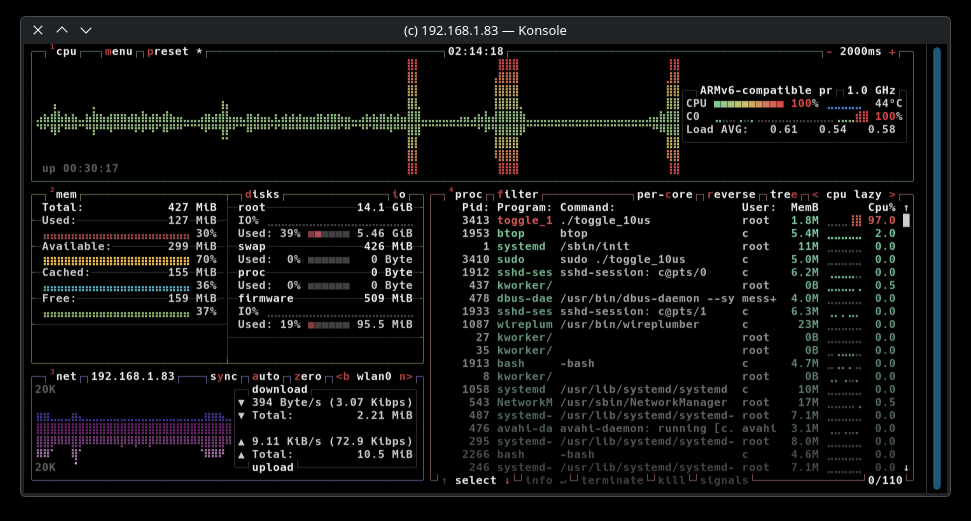
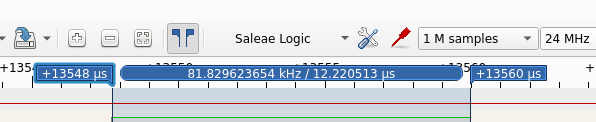
- pulseview show interesting snapshots - it would run approximately about 50 pulses before the system interrupt required system clocks killing it's output.
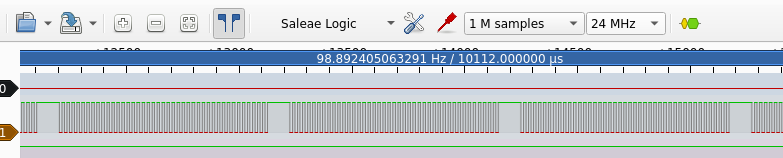
We can see here that accuracy was out generating pulses at 12.2 us / 23.0 us for two pulses
Timer_50.c (50 us Pulses)
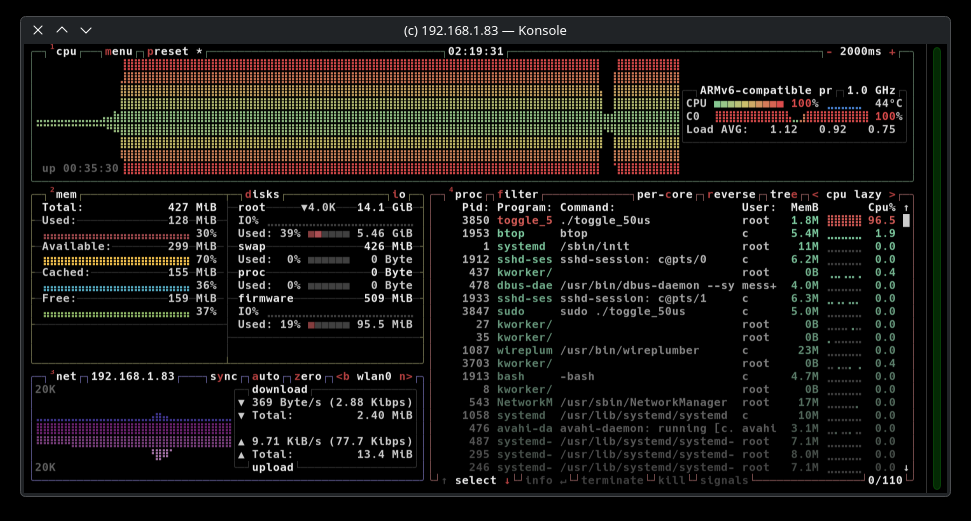
- Similar CPU was again 100% throttled.
Looking at our Logic Analyzer we can see similar disruptions on a frequent basis
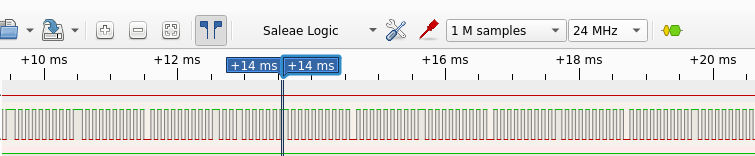
Pulse Accuracy.. 50.79 us and 101.95 us on a single cycle.

Timer_100.c (100 us Pulses)
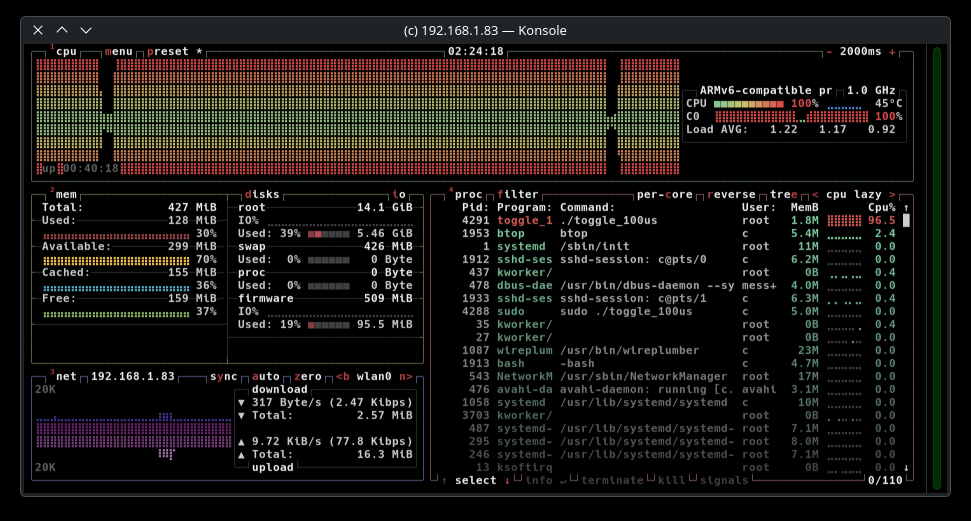
- We would have expected some relief from the clock loading unfortunately no - it is still hammering the CPU load:
We can see that pulses are still disrupted at some intervals, but is it minute.
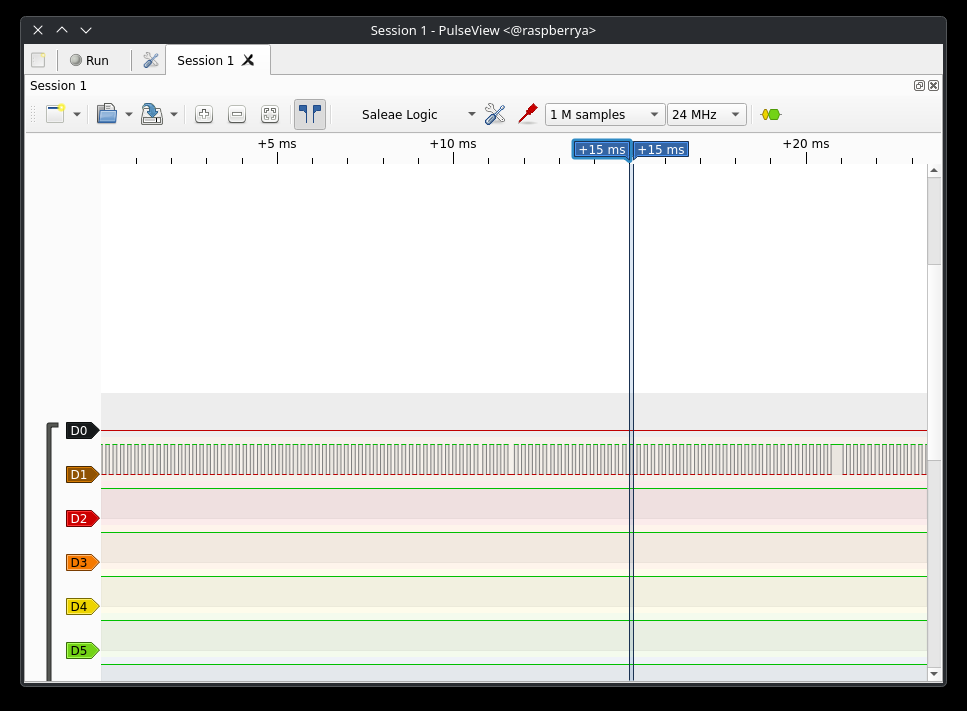
For pulse accuracy we are getting 112.54 us and 213.6 us for a full cycle.

Timer_250us (250 us Pulses)
- Now this got interesting! Suddenly CPU clock loading dropped to a modest 23%
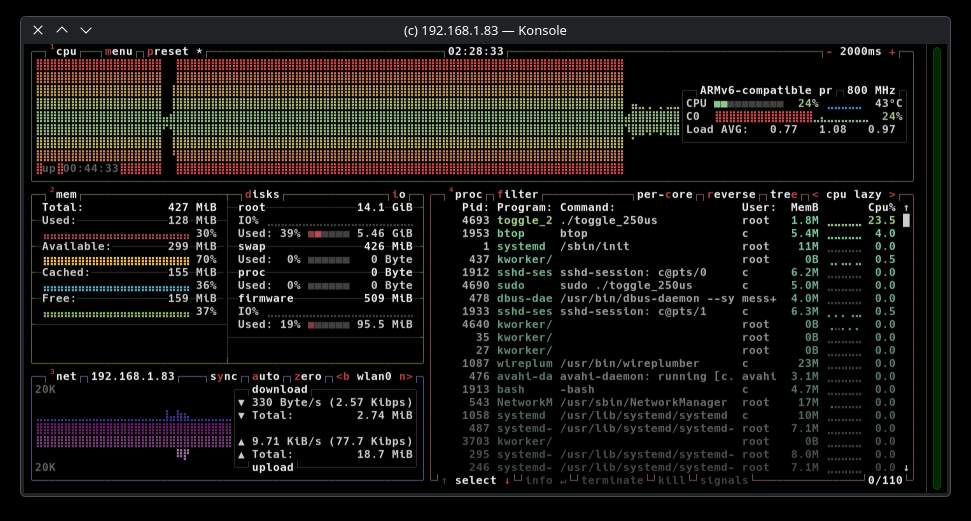
It should be noted that the pulses were clean and consistent without timer interruption.

Is this a typo? It's pulse accuracy was junk! Coming in at 350 uS we went back and checked our code - nope we set it for 250.. 705us for two full pulses..
Timer_500us (500 us Pulses)
A lowly 19% load was pushed to the CPU for a 500uS pulse.
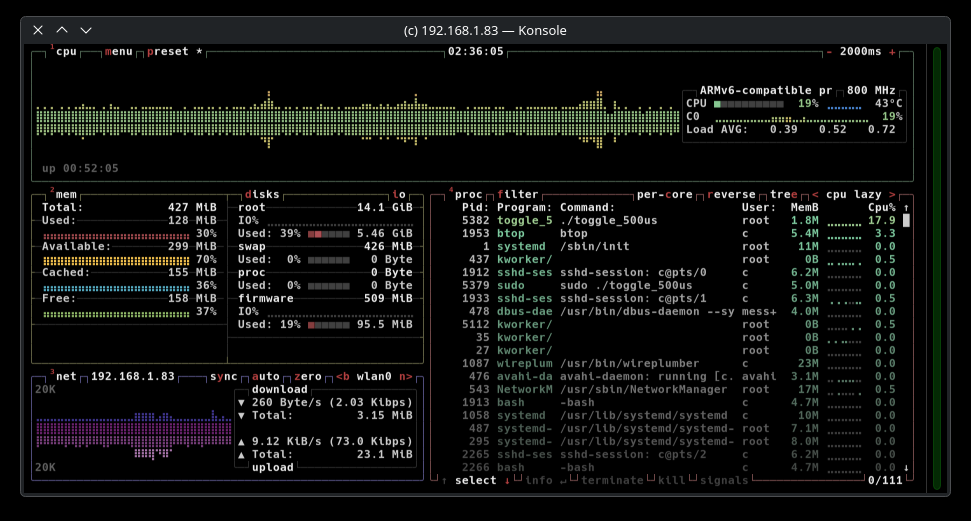
We recieved near perfectly undisturbed pulses..

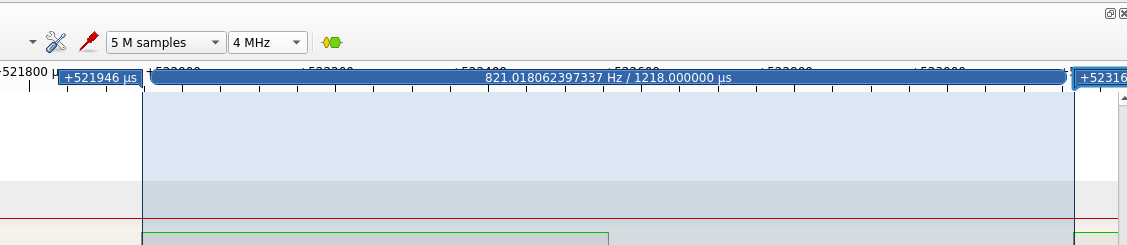
Again the longer pulses were way out as in 610.25 / 1218 us
Conclusion
pigpio is promoted as 'the most accurate timing reference inside a non-rtos' Well yes. We noted it seems to have two modes - if the pulse is short enough it goes into a very high CPU load chocking the system out attempting to accurately fulfill every pulse, and it is accurate. However something interesting happens when we hit 250us and higher pulse durations, accuracy dropped off a cliff - but it was allowing the system to multi-task again.
Consider:
- Pro-ratio your value aka picking 375uS to get 500 uS is a real option. Then you are not torquing out your CPU and you hopefully will get accurate pulse durations that are consistent and stable, it looks like the best fit and the recommendation really IMHO is:
- 250 uS is about as short as I would trust a Raspberry Pi Zero from it's own internal hardware to reliably drive a pulse.
- If I was to go shorter I would have to develop a pulse style that could continue a pulse train after being interrupted!
