Hermes Review. Basic LLM / OpenRouter.ai Setup Example with Guardrail.
We took an honest effort at getting Hermes to work.


First off people hate config broccoli. Only the most utterly persistent seasoned sysadmins want to spend their weekends fighting configurations, drivers, libraries, venvs whatever.. The world will always rush to whomever can make their lives work.. The same applies to software coders. If you do not want anyone to use your software make it hard to use.

Lets get started. The installation script was properly setup. As in literally this:
curl -fsSL https://raw.githubusercontent.com/NousResearch/hermes-agent/main/scripts/install.sh | bash
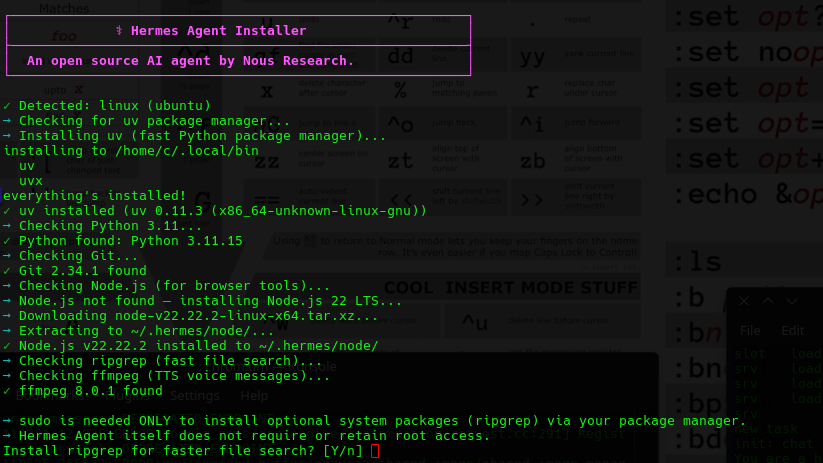
They actually took the time to make some nice colored prompts you just have to love coders that still like beautifully tailored consoles! It means the programmers wrote this actually cared about the end user experience even in the console. That's a good sign. Here is what it did.
Local LLM - We Failed Here (But we have a very Basic LLM)
Do I trust it with my root? Of course - I run sandboxes.
- It wanted ripgrep package.
- It then went off and started building a Python 3.11 venv, and Node.js dependencies.
- It went off and started installing packages. libcairo - etc, ffmpeg. very interesting.
At this point it gave me a dual path for setup:

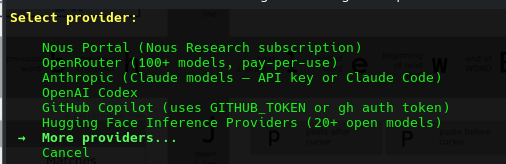
At this point we are out?? We don't subscribe to ANY providers, so we want it to work with our local inference engine, waiting ready at 192.168.1.3:8080..
We find under 'extended providers' an option to specify a custom endpoint.
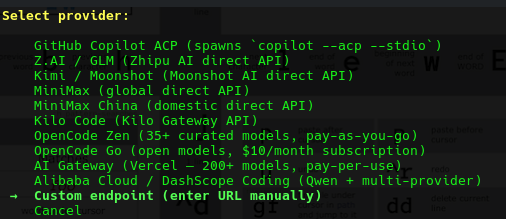
We gave it the following:
Custom OpenAI-compatible endpoint configuration:

API base URL [e.g. https://api.example.com/v1]: http://192.168.1.3:8080
It actually detected the houseLLM! So:
Custom OpenAI-compatible endpoint configuration:

API base URL [e.g. https://api.example.com/v1]: http://192.168.1.3:8080
API key [optional]:
Verified endpoint via http://192.168.1.3:8080/models (1 model(s) visible)
Detected model: Qwen3.5-27B-TQ3_1S.gguf
Use this model? [Y/n]:
After this point it wanted to connect to Messenger.. We don't use that either. Are we a LLM Cave Dweller??

After this point we have :
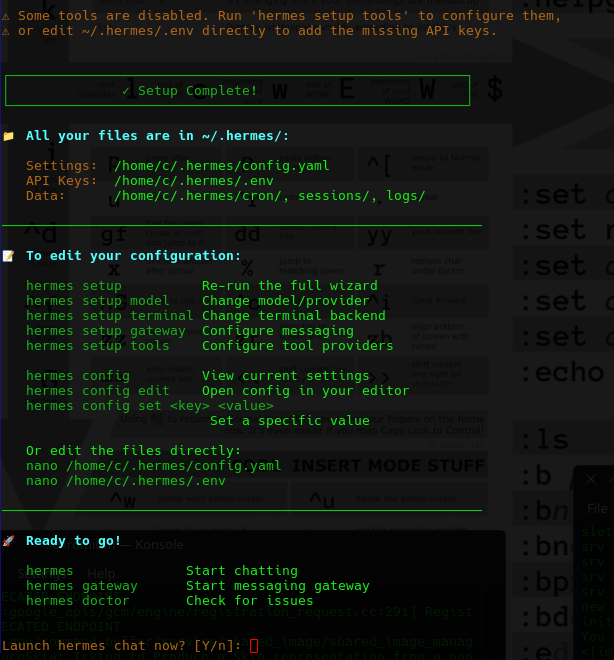
At this point we start a chat. What can we do with this?
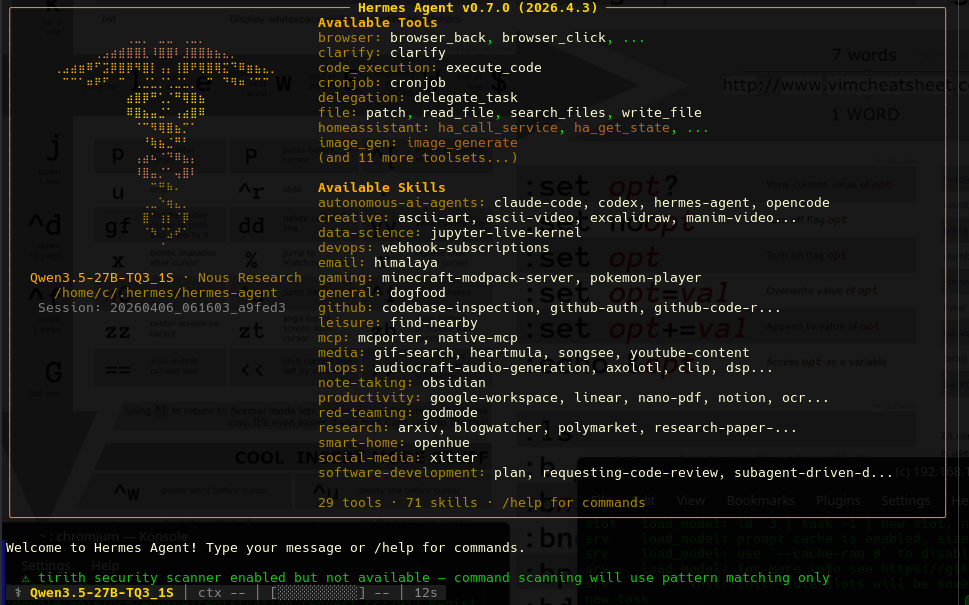
At this point we had been running our LLM in small 8192 contexts. Even though I thought I gave it that limit it seemed to want to extend the context to 16384, we stopped our local LLM and re-ran it:
We restarted the LLM with a 16384, however we had benchmarked the LLM and on our 4080ti it slows down our token speeds, but we are just trying to learn about it at this point.
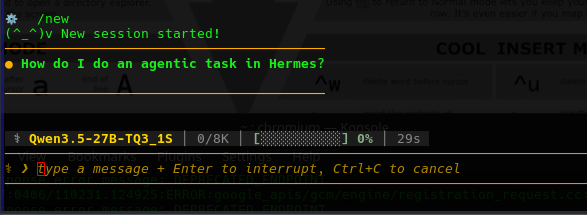
We started having issues again it over flooded our 16384 context re-run.
⚙  /new
(^_^)v New session started!
────────────────────────────────────────
● How do I do an agentic task in Hermes?

────────────────────────────────────────

┊ 📚 preparing skill_view…
┊ 📚 skill     hermes-agent  0.0s
⚠ context ▰▰▰▰▰▰▰▰▰▰▰▰▰▰▰▰▰▰▰▰ 100% to compaction  4k threshold (50%) · compaction approaching
⚠  API call failed (attempt 1/3): BadRequestError [HTTP 400]
🔌 Provider: custom  Model: Qwen3.5-27B-TQ3_1S.gguf
🌐 Endpoint: http://192.168.1.3:8080
📝 Error: HTTP 400: request (18679 tokens) exceeds the available context size (16384 tokens), try increasing it
📋 Details: {'code': 400, 'message': 'request (18679 tokens) exceeds the available context size (16384 tokens), try increasing it', 'type': 'exceed_context_size_error', 'n_prompt_tokens':18679, 'n_ctx': 16384}
⚠  Context length exceeded at minimum tier — attempting compression...
🗜 Context too large (~9,886 tokens) — compressing (1/3)...
❌ Context length exceeded and cannot compress further.
💡 The conversation has accumulated too much content. Try /new to start fresh, or /compress to manually trigger compression.
─  ⚕ Hermes  ───────────────────────────────────────────────────────────────────────────────────────────────────────────────────────────────────────────────────────────────────────────────

Error: Context length exceeded (9,886 tokens). Cannot compress further.
Ok so far we are realizing it's benefits require a larger LLM but what is powerful apparently is you can control this via various social media platforms. That's powerful.
Online LLM - OpenRouter.ai
- Not getting a lot of results, and seeing Hermes has a HUGE amount of options, we had a look at the highly complex /.hermes/config.yaml. We decide to just delete it and try again.. again the issue is corraling. We will not be corraled onto a subscription or burning tokens because the bait-n-switch is everywhere.
- In order to setup OpenRouter.ai just to test it on a free LLM you have to do the following, setup an organization, then a guardrail.
Setting a OpenRouter.ai GuardRail
- Make a API Key, Then Select Guardrail.
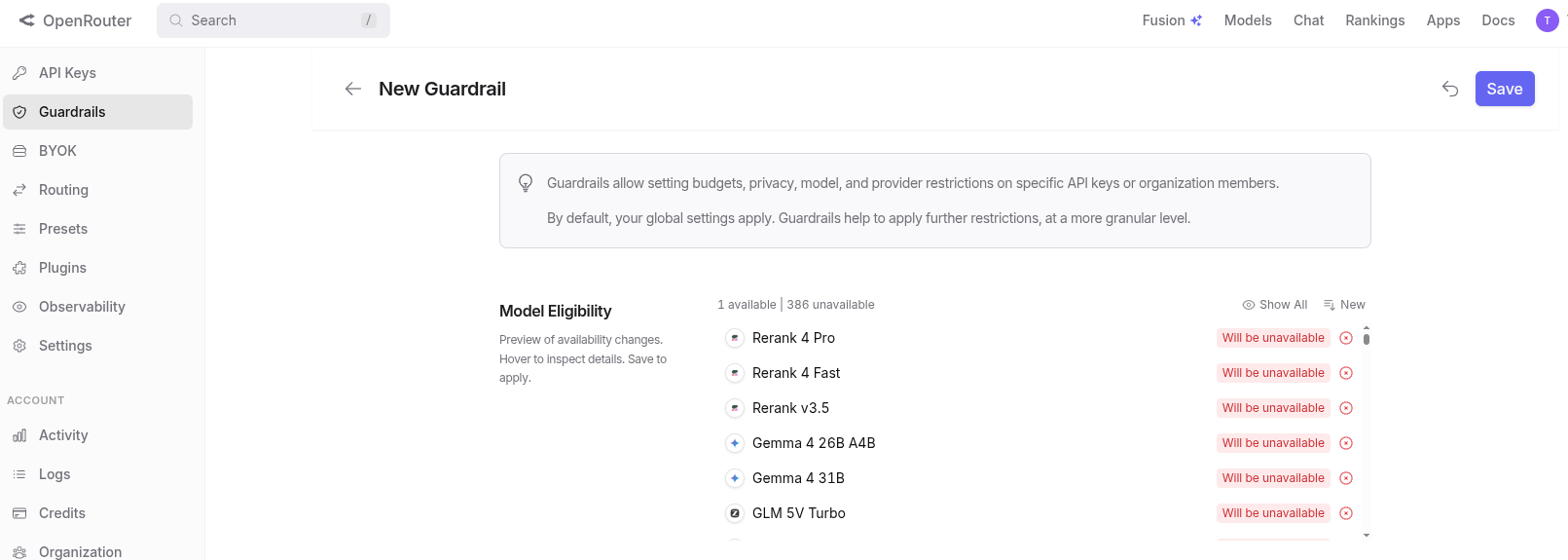
- Add one provider way... down at the bottom
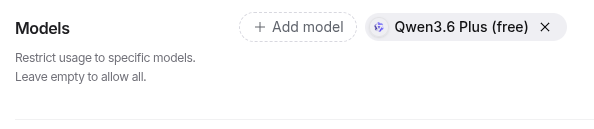
- The rest of the models will red out. The aggression to burn tokens is strong on this!
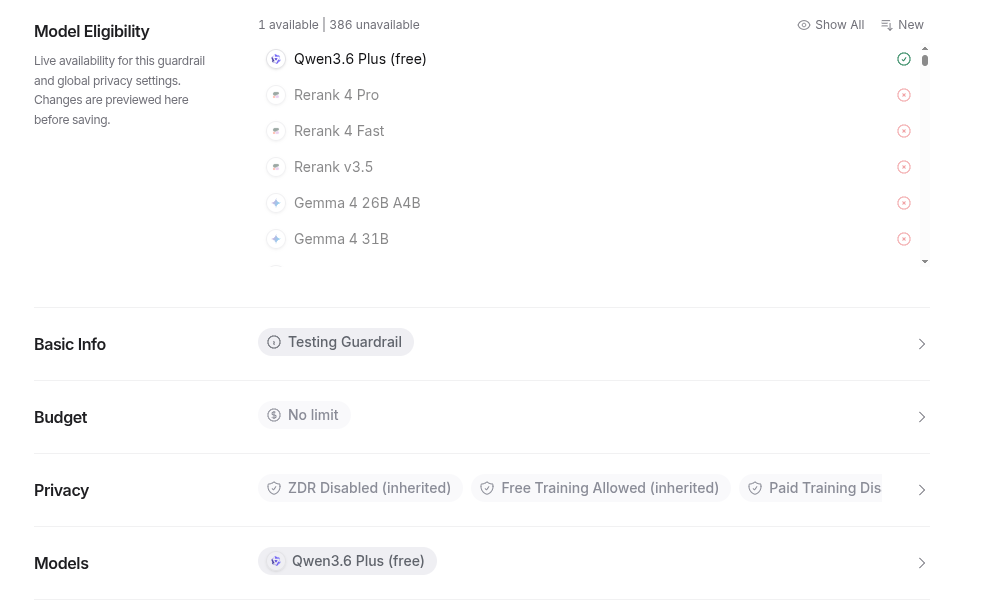
After you Guardrail is setup hopefullly you will not have your agentic workflow going crazy. Lets put it back into Hermes..
At this point it is also offering a second layer filter - but our API key has a lock
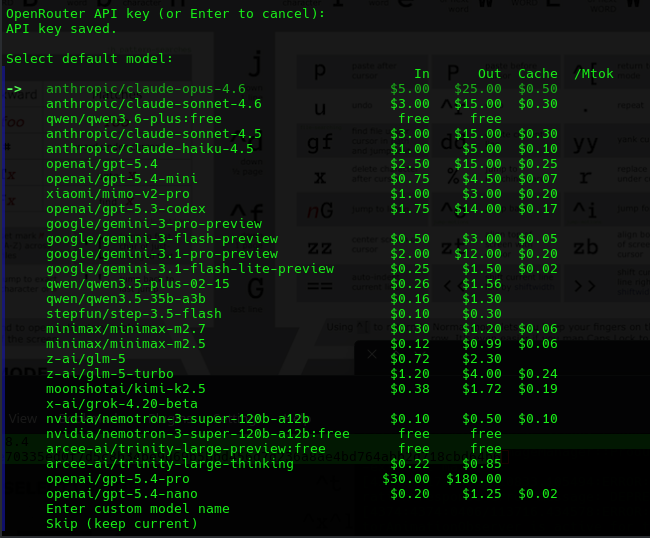

We started trying all kinds of things to see what models we can connect to - only the paid versions seemed to work on openrouter.ai
/model mimo
✓ Model switched: xiaomi/mimo-v2-pro
Provider: OpenRouter
Context: 1,048,576 tokens
Max output: 65,536 tokens
Cost: $1.00/M in, $3.00/M out, cache read $0.20/M
Capabilities: reasoning, tools, structured output, open weights
(session only — add --global to persist)

⚙  /model qwen
✓ Model switched: qwen/qwen3-coder-30b-a3b-instruct
Provider: OpenRouter
Context: 160,000 tokens
Max output: 65,536 tokens
Cost: $0.07/M in, $0.27/M out
Capabilities: tools, structured output, open weights
(session only — add --global to persist)

⚙  /model qwen3.6
✓ Model switched: qwen/qwen3.6
Provider: OpenRouter
Context: 131,072 tokens
⚠ Note: `qwen/qwen3.6` was not found in this provider's model listing. It may still work if your plan supports it.
Similar models: `qwen/qwen3.5-9b`, `qwen/qwen3-8b`, `qwen/qwen3.5-27b`
(session only — add --global to persist)

⚙  /model qwen:free
✓ Model switched: qwen/free
Provider: OpenRouter
Context: 131,072 tokens
⚠ Note: `qwen/free` was not found in this provider's model listing. It may still work if your plan supports it.
Similar models: `qwen/qwen3-coder:free`, `openrouter/free`, `qwen/qwen3.6-plus:free`
(session only — add --global to persist)
Conclusion - Maybe for You..
- We noted that free models will not integrate and are never listed on openrouter.ai but paid models show up every time.
- We can cut and paste a paid model from the clipboard page it works every single time the moment you try to use a free model the api is simply not found.
- It has a ocean of features like autonomous agents, will plug into all your social media accounts (if you trust or want a bot being you - for you), and it looks to offer hundreds of services. We just found it did not in any fashion seem to want to work with a basic small LLM, even though we set it's tokens for our local LLM it overflowed it almost immediately. This works great - if you like paying for everything you do, or have an all-you-can-token subscription, but those are going away quickly. However we did not succeed in getting it to work at all with even a 16,384 token context which we can work no issues just using a standard llama.cpp web page.
