CertBot Basics - roll-your-own .pem file (part 1)
CertBot Basics - roll-your-own .pem file (part 1)


In this simple tutorial we are going to go over getting a basic CA (Certificate Authority) file for the development of a basic CherryPy HTTPS Port 440 server.
- First we will install bind-utils in order to verify our A / AAAA records for our domain name https://www.equationfarm.com
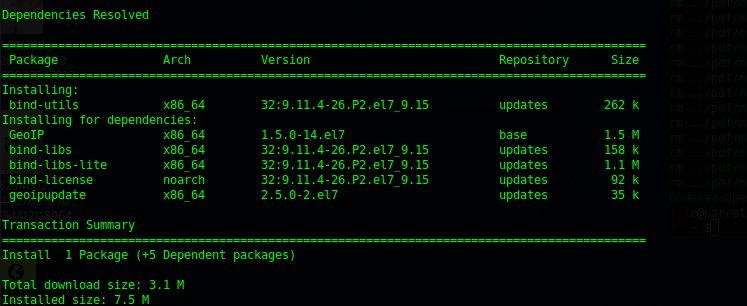
sudo yum install bind-utilsWe will get some dependencies but this works cleanly:
dig www.equationfarm.com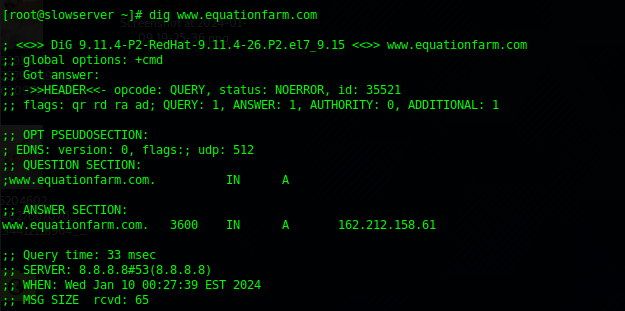
We can see from this that A records are resolving to the local small VPS that will host.
Next we can install the certbot, which is part of the excellent letsencrypt.com
sudo yum install certbotAnd as root:
certbot certonly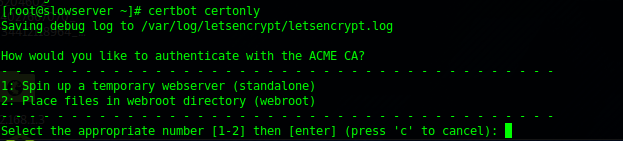
We select (1)

It does not quite work so we need to check our Google DNS:
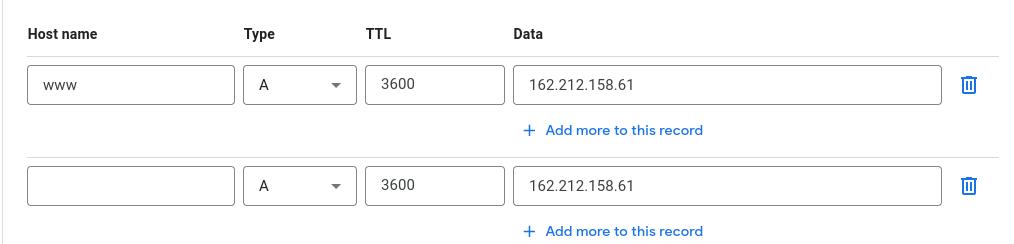
(A) will always resolve to an IPV4 Addressing.
(AAAA) is for IPV6 Addressing. Since IPV6 is at the time of this writing only about 44% implemented you may not want to use it yet:
(CNAME) is domain aliasing and must point either another CNAME or a A record.
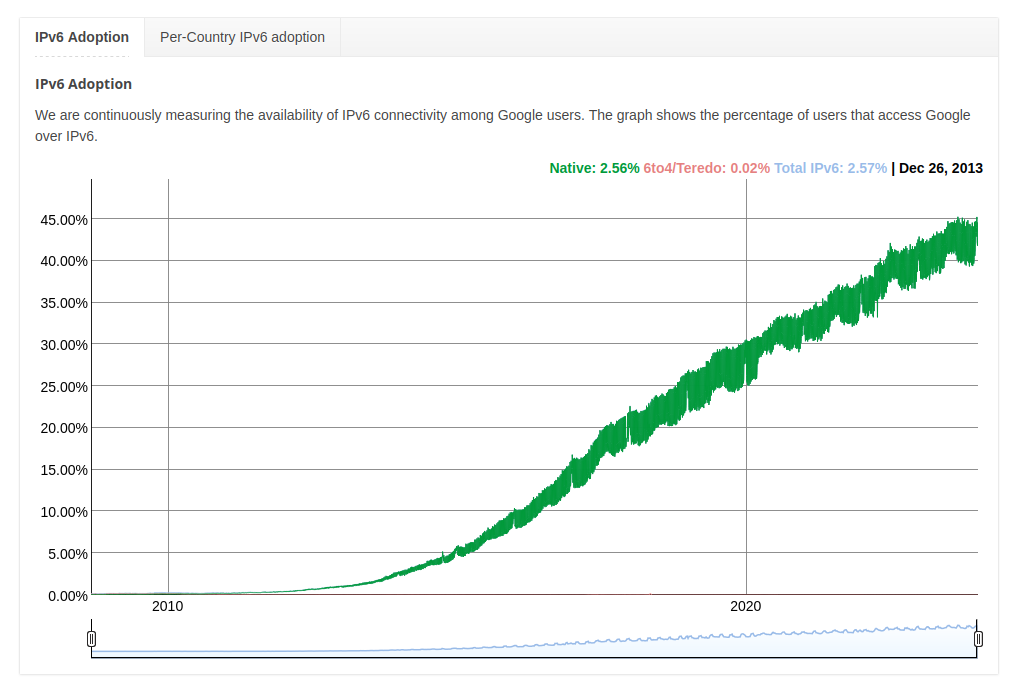
After several trials we find out that Centos 7/8 requires explicit port opening in order to function - we will open 80 for basic testing, 443 for SSL, and 8000 for the python3 -m http.server
firewall-cmd --zone=public --add-port=80/tcp --permanent
firewall-cmd --zone=public --add-port=443/tcp --permanent
firewall-cmd --zone=public --add-port=8000/tcp --permanent
systemctl restart firewalld
And we can see now that we can stand up a simple server with:
python3 -m http.server 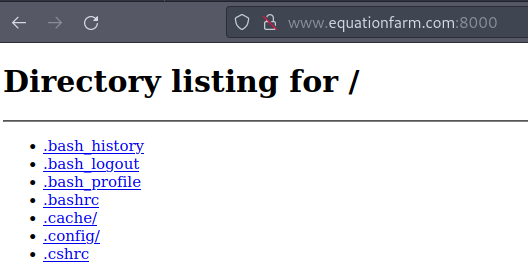
Of course this is about as insecure as one can get so this is immediately shut off - but we know we are piping basic bytes.
Checking a comparative guide (full credit) suggests:
sudo certbot certonly --standalone --preferred-challenges http -d example.comBecause we had too many failed attempts at this we then tried it with another domain and it worked - www.chatmelt.com
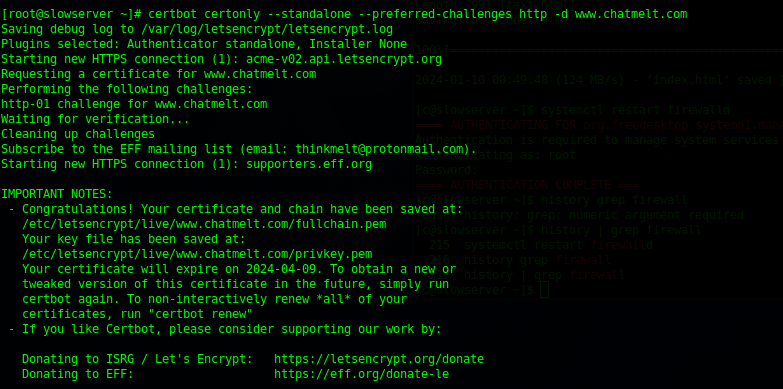
This guide was written with errors of development left in - which is another powerful teaching aid.
