Agentic Server Primer: Llama.cpp MCP Lesson 4: Weather Polling via api.weather.gov
Agentic Server Primer: Llama.cpp MCP Lesson 4: Weather Polling via api.weather.gov

In our first three MCP lessons we have learned a calculator, dockerization, python, and now we will look at polling other API end-points. Naturally to be as generic and comprehensive as possible we have picked an open api from:

Effectively it's pretty simple - we use one api call to convert the city to a lat/long which is then queried against the National Weather Service to get the weather!
- Our typical process pattern goes as follows. Make the python tool, test it as a MCP tool for your LLM, then dockerize it into a independent running container.
Make a python file named mcp_c_city_weather.py and put into it:
import requests
from fastmcp import FastMCP
from starlette.middleware import Middleware
from starlette.middleware.cors import CORSMiddleware
import uvicorn

mcp = FastMCP("Weather Polling Server")

# ── Global City Coordinates Lookup ───────────────────────────────────────
@mcp.tool
def get_city_coordinates(city_name: str) -> str:
    """Looks up latitude and longitude for any city or location on Earth.

    Uses the free Open-Meteo Geocoding API (no API key required).
    Returns the top matching result with coordinates and country.
    """
    try:
        url = "https://geocoding-api.open-meteo.com/v1/search"
        params = {
            "name": city_name,
            "count": 1,
            "language": "en",
            "format": "json"
        }
        headers = {"User-Agent": "MCP Python Testing Server"}

        response = requests.get(url, params=params, headers=headers, timeout=10)
        response.raise_for_status()
        data = response.json()

        if not data.get("results"):
            return f"No coordinates found for '{city_name}'. Please try a more specific name (e.g., 'New York, NY')."

        result = data["results"][0]
        return (
            f"Coordinates for {result['name']}, {result.get('admin1', '')} "
            f"({result.get('country', '')}):\n"
            f"Latitude: {result['latitude']}\n"
            f"Longitude: {result['longitude']}"
        )

    except requests.exceptions.RequestException as e:
        return f"Error fetching coordinates: {str(e)}"
    except (KeyError, ValueError, IndexError) as e:
        return f"Error parsing coordinate data: {str(e)}"


# ── Global Weather by Coordinates ────────────────────────────────────────
@mcp.tool
def get_weather(latitude: float, longitude: float) -> str:
    """Fetches current weather and 7-day forecast for any latitude/longitude.

    Uses the free Open-Meteo Weather API (global coverage, no API key required).
    """
    try:
        url = "https://api.open-meteo.com/v1/forecast"
        params = {
            "latitude": latitude,
            "longitude": longitude,
            "current_weather": "true",
            "daily": "weather_code,temperature_2m_max,temperature_2m_min,sunrise,sunset",
            "timezone": "auto",
            "forecast_days": 7
        }
        headers = {"User-Agent": "MCP Python Testing Server"}

        response = requests.get(url, params=params, headers=headers, timeout=10)
        response.raise_for_status()
        data = response.json()

        current = data["current_weather"]
        daily = data["daily"]

        output = ["Weather Report\n"]
        output.append(f"Current Conditions:")
        output.append(f"  Temperature: {current['temperature']}°C")
        output.append(f"  Wind Speed: {current['windspeed']} km/h")
        output.append(f"  Wind Direction: {current['winddirection']}°")
        output.append(f"  Time: {current['time']}\n")

        output.append("7-Day Forecast:")
        for i in range(len(daily["time"])):
            output.append(
                f"  {daily['time'][i]}: "
                f"{daily['temperature_2m_max'][i]}°C / "
                f"{daily['temperature_2m_min'][i]}°C"
            )

        return "\n".join(output)

    except requests.exceptions.RequestException as e:
        return f"Error fetching weather data: {str(e)}"
    except (KeyError, ValueError) as e:
        return f"Error parsing weather data: {str(e)}"

# ── Server Startup with CORS (required for llama.cpp frontend) ────────────
if __name__ == "__main__":
    middleware = [
        Middleware(
            CORSMiddleware,
            allow_origins=["*"],          # Restrict in production
            allow_credentials=True,
            allow_methods=["GET", "POST", "OPTIONS"],
            allow_headers=["*"],
            expose_headers=["*"],
        )
    ]

    app = mcp.http_app(
        path="/mcp",
        middleware=middleware
    )

    uvicorn.run(
        app,
        host="0.0.0.0",
        port=5002,
        log_level="info"
    )
Note: port 5002 we are marching up one-by-one.
Adding it to your MCP Llama.cpp is simply as (please note mcp is always required for a api endpoint.)
http://192.168.1.3:5002/mcp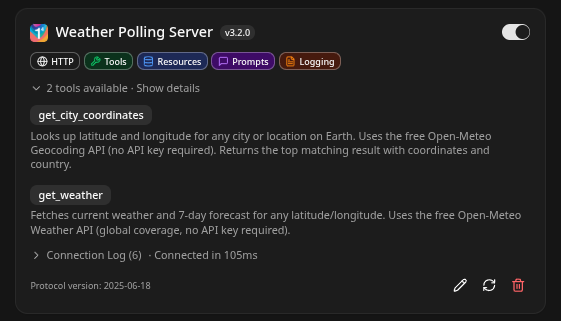
We had to be a little more explicit in this case, the LLM didn't realize that Weather Polling Server was a well Weather Polling Server - so we renamed it 'Current Weather' and was explicit in the prompt:
Using the Current Weather Tool find where Lima Peru is located and the current weather there- It nailed it right out the gate with clean nice markdown:
Using the Current Weather Tool find where Lima Peru is located and the current weather..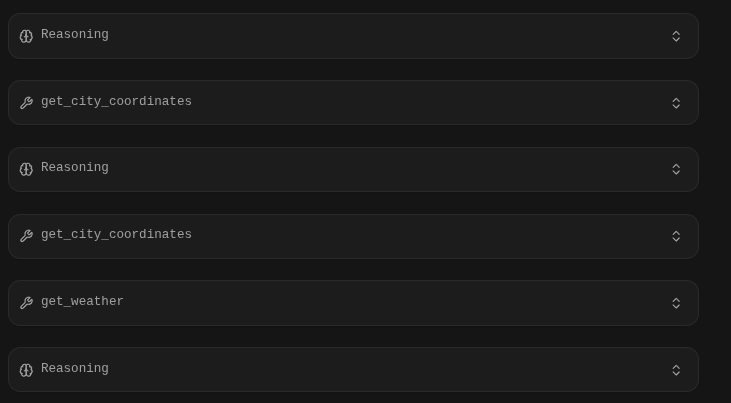
Make a Docker Container
Now that we are satisfied with our next MCP tool we will make it into a docker. Make a fresh directory and a Dockerfile put into it:
FROM python:3.11-slim

# Set environment variables to prevent Python buffering
ENV PYTHONDONTWRITEBYTECODE=1
ENV PYTHONUNBUFFERED=1

# Set the working directory inside the container
WORKDIR /app

# Copy dependency file first for better caching
COPY requirements.txt .

# Install dependencies
RUN pip install --no-cache-dir -r requirements.txt

# Copy the rest of the application code
COPY . .

# Expose the port the app runs on
EXPOSE 5002

# Set the command to run the calculator script
# Ensure your script binds to 0.0.0.0, not 127.0.0.1
CMD ["python", "mcp_c_city_weather.py"]- We have now populated 5002 and set our docker container to bind to that port, which matched the working port of the python application.
- Add requirements.txt
# Example:
requests
starlette
fastmcp
uvicorn
# Add other dependencies here
And build it:
docker build . --no-cache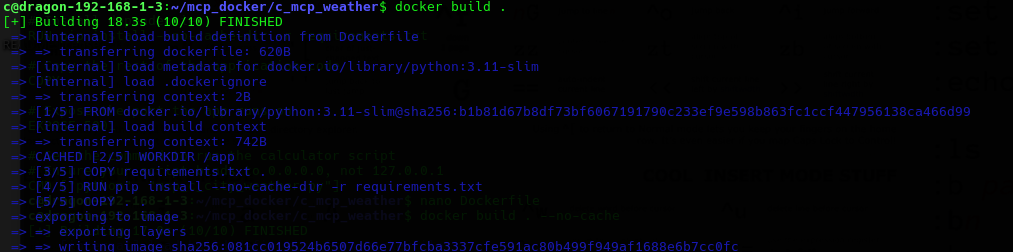
Finally we will setup a docker-compose.yml file which will have the container launch instructions:
version: '3.8'

services:
mcp_server:
build: .
ports:
- "0.0.0.0:5002:5002"
volumes:
- .:/app                  # ← Enables live code changes without rebuild
restart: unless-stopped
Don't forget to add your mcp_c_city_weather.py like me..
docker compose upWe test it one more time, note when you migrate from your Pycharm instance to your docker container you might have to re-enable the MCP in the Llama.cpp settings so:
What is the current weather in San Paulo Brazil.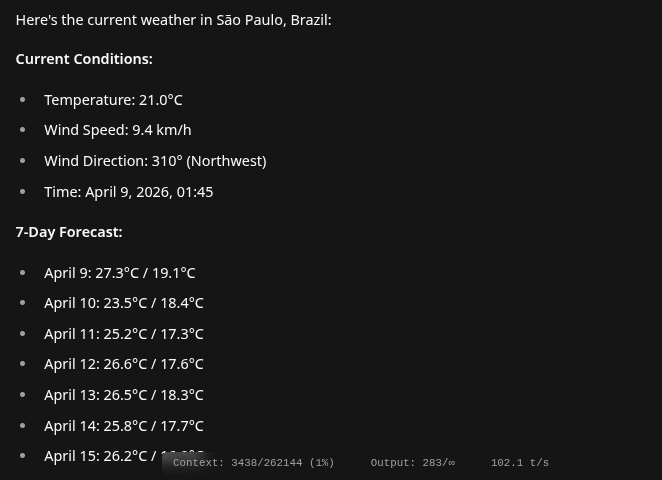
Conclusion
Awesome. You can build from this, next up can we get it doing mysql table management? Would you trust your LLM to do your work inside your database? That's a hard question but for the sake of concept lets look!
